To leave a Google review, sign in to your Google Account and open the business in Google Maps. On a phone, tap the business name, tap Reviews, then tap the five empty stars. On a computer, click Write a review. Choose your star rating and add a few words about your visit before you post it.
ReviewUsToday sends review request emails for local businesses, so we spend our days watching customers go from a link to a finished Google review. Every step below is checked against Google's own help pages on 12 October 2026.
How do you leave a review on Google from a phone or computer?
Open Google Maps, sign in to your Google Account and find the business. On a phone, tap its name and open the Reviews tab to find the five empty stars. On a computer, scroll the left panel and click Write a review. Google lists the same phone steps for iPhone and Android.
| Step | Phone (Google Maps app) | Computer (Google Maps) |
|---|---|---|
| 1 | Open the app and sign in | Sign in to Google Maps |
| 2 | Search for the place or tap it on the map | Search for the place |
| 3 | At the bottom, tap the place's name or address | On the left, scroll and click Write a review |
| 4 | At the top, tap Reviews, then the 5 empty stars | Click the stars to score the place |
| 5 | Tap the stars, then write under "Share more about your experience" | Write your review if you want to, then post |
All reviews are public, and Google Maps Help says you can't post one anonymously. If several locations show up, pick the right one. A glowing review of the wrong pizza place is a lovely gift for a business that's never met you.
How do you write a Google review that helps?
Describe your own experience, be specific about the place, and include the good and the bad. Keep any criticism constructive and leave the profanity for the car ride home. Google's tips for great reviews also say a paragraph is a great length for a review.
| Google's tip | In practice |
|---|---|
| Be informative | Say what the next visitor will likely experience |
| Be authentic | Review your own visit, positives and negatives |
| Be respectful | Constructive criticism, no profanity |
| Write with style | Check spelling, go easy on CAPITALS |
| Avoid conflicts | No reviews of places you work or worked at |
I'd add one thing: name the detail you'd want to know before going. "They called back within an hour" helps a stranger. "Great!!!" helps about as much as a thumbs-up from a parked car.
How do you leave a Google review from a link?
Tap the link and sign in to your Google Account if asked. Google lets businesses create a review link or QR code for their Business Profile, to share in thank-you emails, on receipts or in store. It saves you the searching, which is the step where most good intentions wander off.
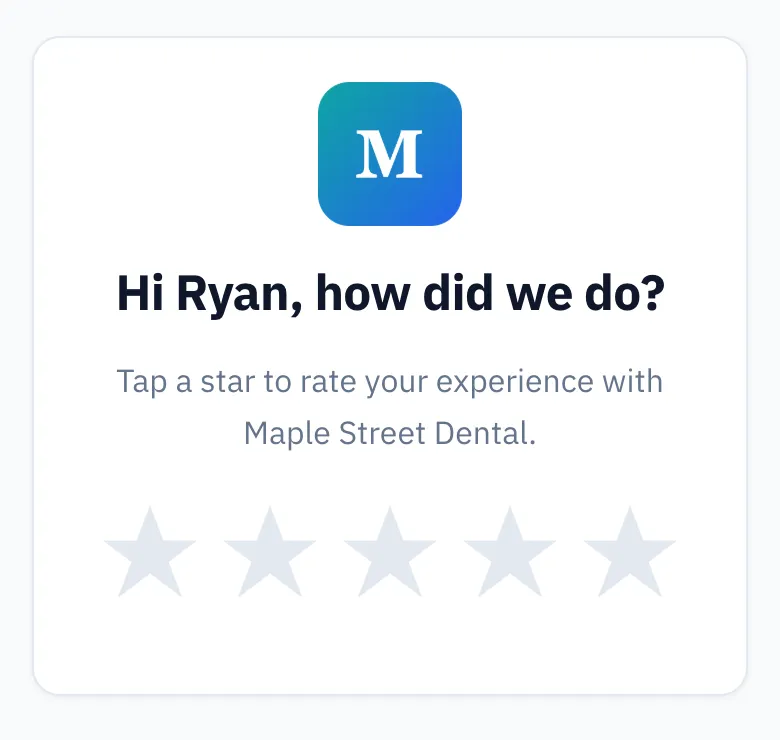
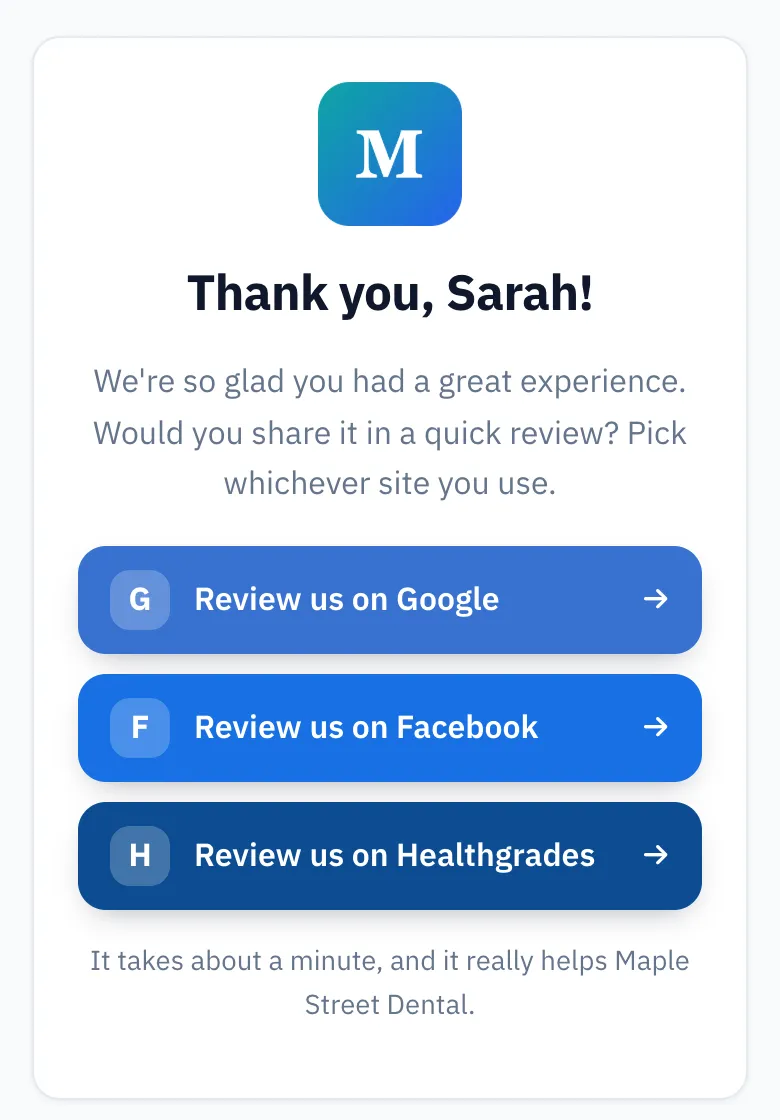
No Gmail account? Google says you can set up a Google Account with a non-Gmail email address you already use. Some businesses send their link through a tool like ReviewUsToday, where you tap a star rating first and then pick a review site.
How do you edit or delete your Google review?
Find the review in your Google Maps profile and tap or click More next to it to choose Edit review or Delete review. You can change the rating, words and pictures. Google notes that after an edit, the date of your last edit shows as the review's post date.
| Device | Where to find your reviews |
|---|---|
| Phone | Contribute, then View your profile, then See all reviews |
| Computer | Menu (top left), then Your contributions, then Reviews |
Editing is handy when a business fixes the problem you wrote about. Going from two stars to four is the review version of shaking hands after an argument about parking.
Why isn't my Google review showing up?
Google checks reviews against its policies, and that can take a few days. Reviews removed for policy violations, like spam or inappropriate content, aren't restored. Older phones or apps can also cause trouble, and Google turns reviews off for some profiles and categories.
| Reason Google gives | What to do |
|---|---|
| Still being checked | Wait a few days |
| Removed for a policy violation | Nothing: Google doesn't reinstate these |
| Older phone or software | Update the Google Maps app |
| Reviews turned off for that business or category | Nothing on your end |
That's from Google's page About missing or delayed reviews. Reviews written for a reward get removed too, so a "10% off for five stars" deal may outlive your review.
What should business owners send customers?
Send a short message with your Google review link and three steps: tap the link, sign in, tap the stars. Ask every customer the same way, whether or not you think they loved you. Google's policy bans incentives, asking only happy customers, and requesting specific content.
- Go to your Business Profile on Google.
- Select Read reviews, then Get more reviews.
- Copy the link, or save the QR code (Google says computer only).
Hi [first name], thanks for choosing [business]. Would you leave us an honest Google review? Tap [link], sign in to Google (a non-Gmail address works), tap the stars and add a sentence if you like. Thank you! [your name]
Asking is half the job, and the numbers back that up. In BrightLocal's 2026 survey, 28% said they'll "always" write a review if asked, up from 16% in 2025. If I ran a bakery, I'd put the link in the thank-you email and on the receipt, then stop before it lands on the croissants. Our review request software sends it with two reminders, and our review request email templates have more wording.
What we see when customers get a review link
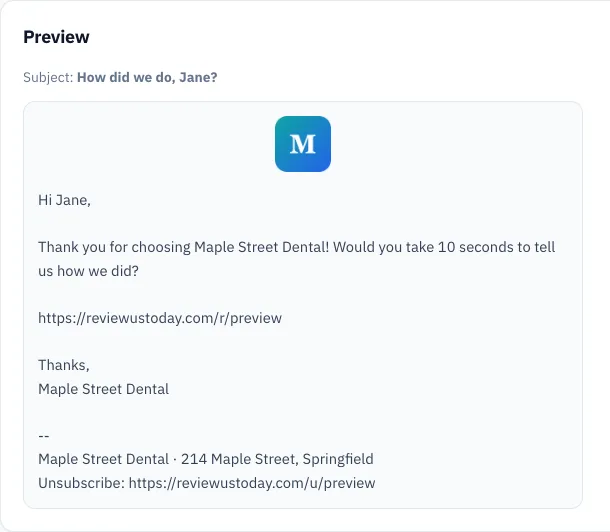
We ran a demo business, Maple Street Dental, through ReviewUsToday with 80 sample customers. It's a demo account with sample data, not a real customer's results.
| Step | Demo result |
|---|---|
| Opened the rating page | 58 of 80 |
| Went to a review site | 47: Google 31, Facebook 10, Healthgrades 6 |
| Rated after a reminder | 13 |
Those 13 ratings are why reminders matter to me. People fully mean to leave a review, and then the kettle boils.
Where ReviewUsToday fits
ReviewUsToday emails each customer a one-tap rating request from your business, then sends happy raters to Google or the sites you choose. It doesn't send texts, and it doesn't monitor or reply to Google reviews. See how review management with ReviewUsToday works, or read how to get more Google reviews.
Frequently asked questions
Can you leave a Google review without a Google account?
No, Google says you must be signed in to a Google Account to leave a review, but you can create one with a non-Gmail address.
Can I leave an anonymous Google review?
No, Google says all reviews are public and anonymous reviews aren't allowed. The name on your Google About me page shows with it.
How long does a Google review take to show up?
Google checks reviews against its policies, which can take a few days. Reviews removed for a policy violation won't come back.
Can I change my star rating on Google?
Yes, open your reviews in Google Maps, choose More, then Edit review. The edit date becomes the review's post date.
Sources
- Google Maps Help: Add, edit, or delete Google Maps reviews & ratings
- Google Maps Help: Tips for contributing high quality reviews & photos
- Google Business Profile Help: Create a Google link or QR code to request reviews
- Google Business Profile Help: Tips to get more reviews
- Google Business Profile Help: About missing or delayed reviews
- Google Maps: Prohibited & restricted content
- BrightLocal: Local Consumer Review Survey 2026
Keep reading
How to get your Google review link
Google review link in 3 steps, straight from Google's help pages. Skip the generators, avoid the profile-link mistake, and see where the link earns reviews.
Google review QR code: how to make one for your business
Google review QR code made right: Google's own steps from your Business Profile, static vs dynamic codes, where to put it, and the mistakes to skip.
How to get customers to leave reviews (and get more of them on Google)
How to get customers to leave reviews on Google: ask everyone, ask at the right moment, send a one-tap link and follow up. Policy-safe tactics and scripts.