To get your Google review link, sign in to the Google Account that manages your Business Profile and open the profile on a computer. Select Read reviews, then Get more reviews, then Copy. That link opens your review form directly. Google gives you the link and a QR code for free, so you don't need a generator.
ReviewUsToday puts that same link behind a one-tap rating email for local businesses, and its request flow follows Google's review policy. So the steps below are the ones we set up with every new account.
How to get your Google review link
Google's help page, Create a Google link or QR code to request reviews, gives one route. Open your Business Profile, select Read reviews and then Get more reviews, and copy the link. You can reach your profile from Google Search or Google Maps first. Here's what each starting point gives you.
| Where you start | How to open your profile (per Google) | Can you copy the review link there? |
|---|---|---|
| Google Search, on a computer | Search your business name and city, or "my business", while signed in | Yes: Read reviews, then Get more reviews, then Copy |
| Google Maps, on a computer | Search your business name and city while signed in | Google's help doesn't list Maps as a route for the link; its steps start at business.google.com |
| Google Maps app, on a phone | Tap Business at the bottom right | Google's help doesn't describe a phone route for the link, and says review QR codes can only be made on a computer |
| Google Business Profile Manager | business.google.com | Yes, this is the link Google's own steps use |
Sources: Google: Create a Google link or QR code to request reviews and Google: Find your business on Google, both checked 12 October 2026.
Here are the steps in order:
- Sign in to the Google Account that manages your Business Profile. Google says you must, or you won't find the profile.
- Go to your Business Profile on a computer browser.
- Select Read reviews, then Get more reviews.
- Select Copy to copy the review link.
- For the QR code, right-click it and choose "Save image as...".
I'd do this at a desk, not on your phone in the car park. It takes two minutes, and the phone route isn't one Google documents. Paste the link somewhere safe right away, ideally not a sticky note that your coffee mug will eventually adopt.
Do you need a Google review link generator?
No. Google's help page shows how to copy a review link and download a QR code from your Business Profile at no cost. A third-party generator can build a similar link from your public listing, but it can't give you anything Google's own button doesn't.
Generators are popular because they skip the sign-in step. You type a business name, and out pops a link. That's handy if you're an agency without access, and a small detour if you own the profile. Here's the honest comparison.
| Google's own link | Third-party generator | |
|---|---|---|
| Cost | Free | Usually free |
| Needs profile access | Yes, owner or manager | Usually not |
| QR code | Yes, on a computer | Varies by tool |
| Who documents how it works | Google's Business Profile Help | The tool's own site |
| Risk of the wrong listing | Low, it's your own profile | Higher if several branches share a name |
If you own the profile, I'd skip the generator and press Google's button. It's the one link nobody can argue with, including you at 11pm wondering why the QR code points to a branch in another state.
Review form link vs profile link: which one should you share?
Share the review form link from Get more reviews. It opens the box where customers rate and write, so they skip the search. A profile or website link makes them hunt for the review button. A single review link only shows one existing review.
Google has three kinds of link that all look like "a Google link" in an email. They behave very differently once a customer taps them.
| Link type | Where it comes from | What the customer sees | Use it for |
|---|---|---|---|
| Review request link | Read reviews, then Get more reviews | Your review form, ready to rate | Asking for reviews |
| Profile or listing link | Your profile in Search or Maps | Your whole profile: hours, photos, directions | Helping people find you |
| Single review link | Maps: Reviews, then More, then Share review | One customer's existing review | Showing off a great review |
Source: Google: Manage customer reviews (the "Get a link to a customer's review" steps), checked 12 October 2026.
The profile link is the usual mix-up. It isn't wrong, it's just one extra step, and every extra step is a door the customer can wander out of. People who meant to leave a review are now reading your opening hours with great interest.
Where to use your Google review link
Google suggests receipts, thank-you emails and the end of a chat, plus a printed QR code in your store. Add it to your website and email signature too. The best spot is wherever a happy customer is already reading your words, soon after the job.
| Where | Format | Tip |
|---|---|---|
| Thank-you or follow-up email | Link behind a short button | Send it within a day or two of the visit |
| Receipts and invoices | Short line plus the QR code | Put it near the total, where eyes already land |
| Your website | A "Review us on Google" button | Footer or thank-you page after a booking |
| Email signature | One plain text link | Fine for every email you send customers anyway |
| End of a chat | The link, pasted in | Google lists this one by name |
| Counter or waiting room | Printed QR code | Google says don't pressure people to review on the premises |
Asking is normal now. In BrightLocal's Local Consumer Review Survey 2026, 78% of consumers were asked to write a review in the last 12 months. And 28% say they'll "always" write one if asked, up from 16% in 2025.
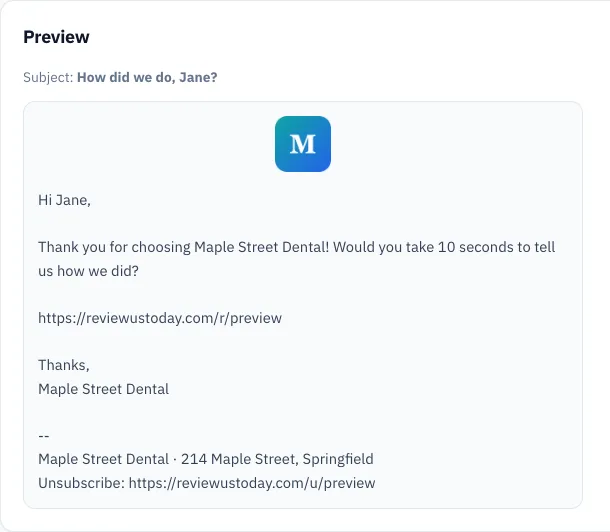
Email does the heavy lifting, because a customer can tap it on the sofa that evening. If you want wording to copy, our review request email templates are ready to paste. If you'd rather it sent itself, that's what review request software is for.
Google review link mistakes to avoid
There are three costly mistakes. You share your profile instead of the review form, offer something in return, or send the link only to customers you expect to be happy. The first loses reviews. The other two break Google's policy, which bans incentives and selectively asking for positive reviews.
| Mistake | Why it hurts | Fix |
|---|---|---|
| Linking to your profile, not the form | Customers must find the review button themselves | Copy the link from Get more reviews |
| Offering a discount or freebie | Google calls it fake engagement and prohibits it | Ask for honest feedback and offer nothing |
| Asking only happy customers | Google bans selectively asking for positive reviews | Send the same request to everyone |
| Forgetting the sign-in | Customers need a Google Account to review | Mention it's quick, and that any email address works |
| Asking for specific wording | Google says merchants shouldn't request specific content | Let them write whatever they want |
Google's Maps user-generated content policy is direct about it. Merchants may not "Offer incentives" for a review, and Google spells those out as "payment, discounts, free goods and/or services". They also may not "Discourage or prohibit negative reviews". Nor can they "selectively solicit positive reviews from customers."
That second one has a name, review gating, and it's easy to do by accident with a clever-looking form. Our guide to review gating shows what crosses the line. For the wider playbook beyond the link itself, see how to get more Google reviews.
What we see when the link sits behind a one-tap rating
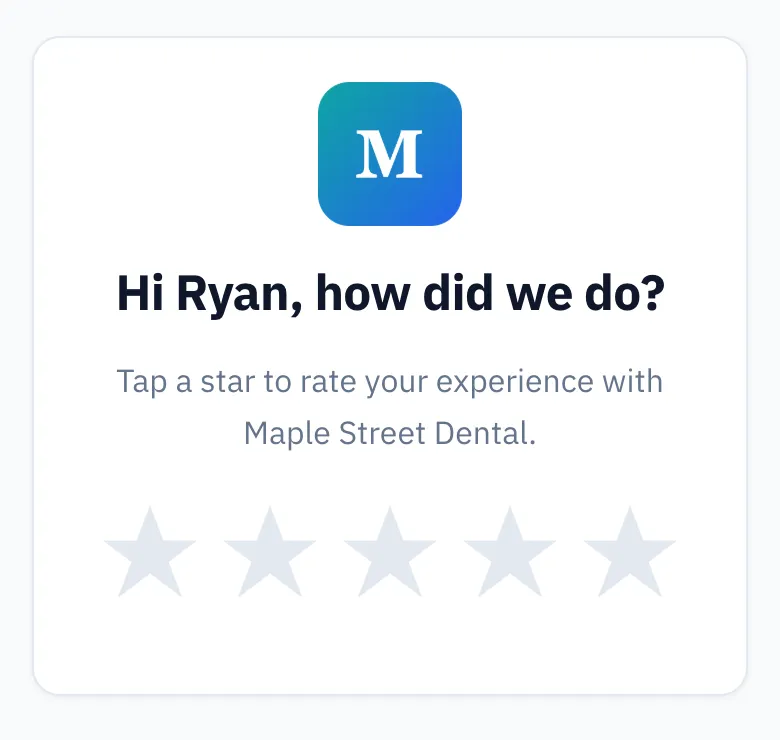
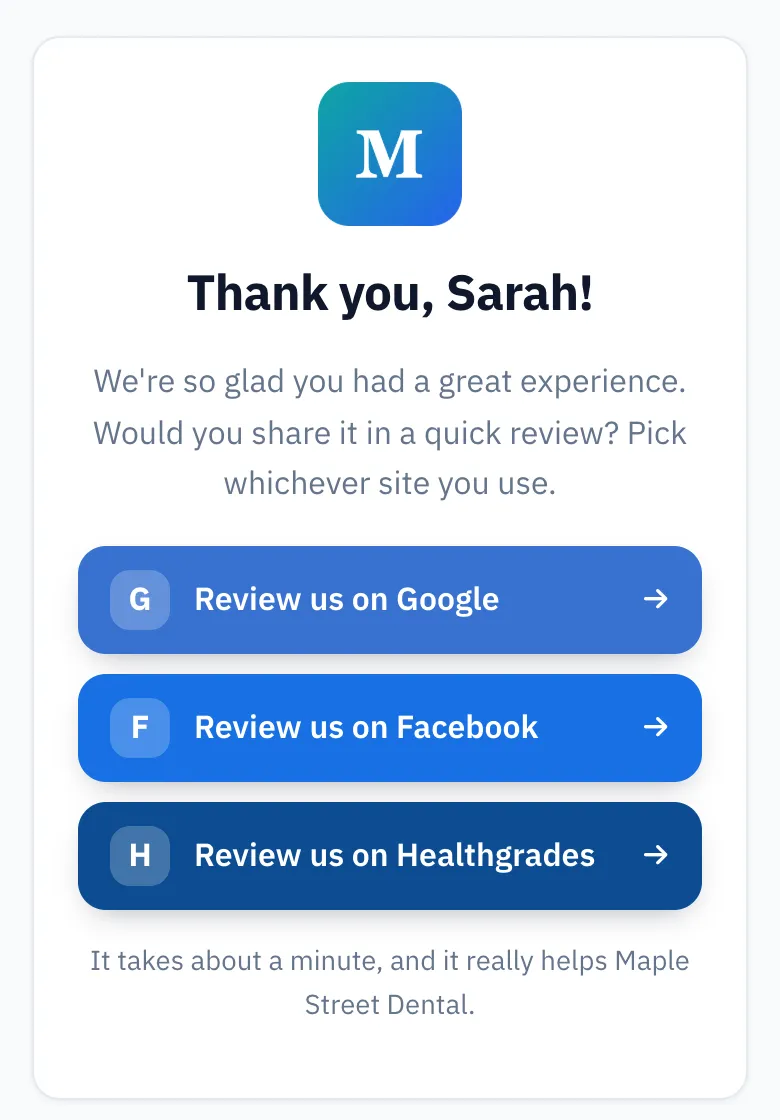
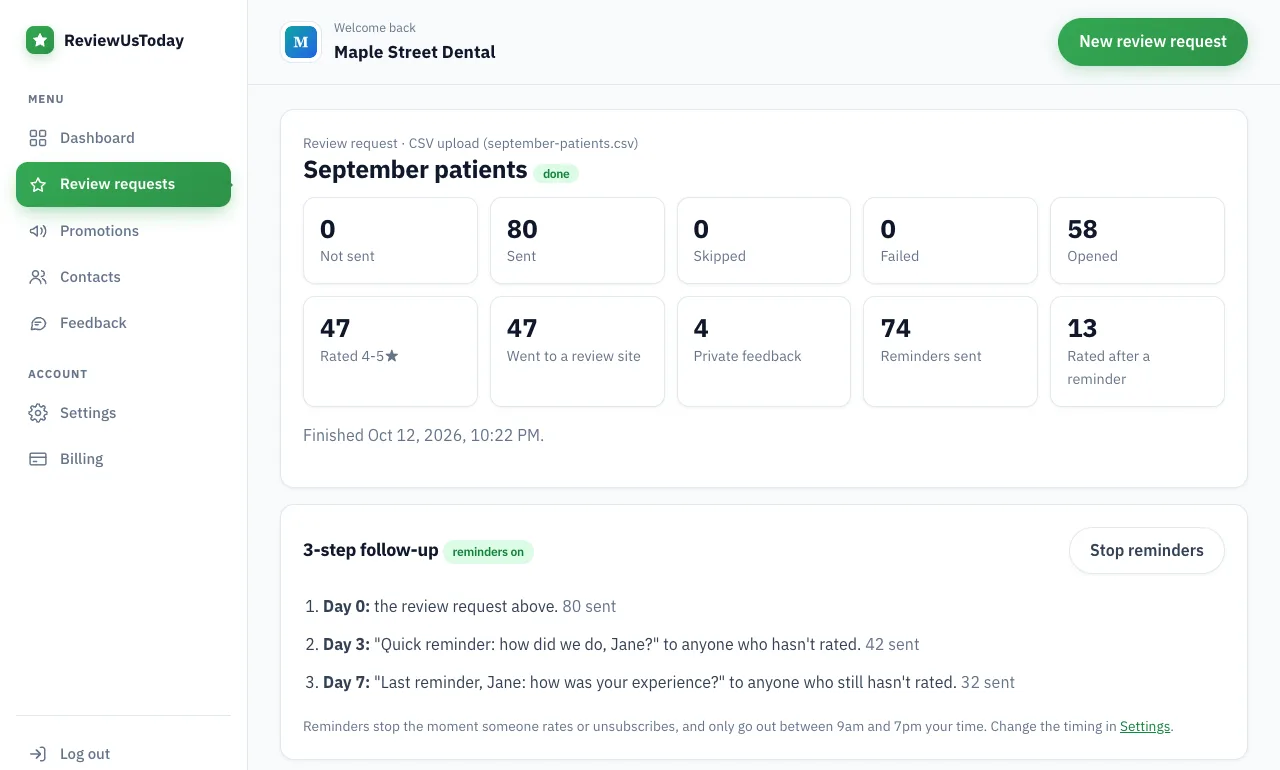
In ReviewUsToday, customers get an email and tap a star rating. Those who tap 4 or 5 stars go straight to your Google review form. We ran a demo dental office, Maple Street Dental, through the real app with 80 sample customers. It's a demo account with sample data, not a real business's results.
| Step | Demo result |
|---|---|
| Review requests sent | 80 |
| Opened the rating page | 58 |
| Rated the business | 51 |
| Rated 4-5 stars and went to a review site | 47: Google 31, Facebook 10, Healthgrades 6 |
| Left private feedback | 4 |
| Ratings that came in after a reminder | 13 |
| Average rating | 4.7 |
The bit I'd point at is the 13 ratings that only arrived after a reminder. A link sent once is a link that's mostly forgotten by Thursday. And customers who rate 1-3 stars still see every public review button, so nobody is screened out.
Where ReviewUsToday fits
ReviewUsToday emails each customer a one-tap rating request from your business name. Happy raters go to your Google review link or the other sites you choose. It doesn't send texts, reply to reviews or monitor your Google profile. See how review management with ReviewUsToday works, with plans from $50 a month and no contract.
Frequently asked questions
How do I get my Google review link?
Sign in to the Google Account that manages your Business Profile and open the profile on a computer. Select Read reviews and then Get more reviews, and copy the link from there. Google also gives you a QR code there.
Is a Google review link generator safe to use?
You don't need one if you manage your profile, because Google gives you the link free. If you use one, test the link yourself before sending it, especially if several businesses share your name.
Can I get my Google review link on my phone?
Google's help page gives the steps for a computer browser and says review QR codes can only be generated on a computer. It doesn't describe a phone route, so a computer is the reliable option.
Do customers need a Google account to leave a review?
Yes, Google says customers must be signed in to a Google Account to leave a review. They can create one with any email address, not only Gmail.
Can I offer a discount for a Google review?
No, Google's policy prohibits offering payment, discounts, or free goods or services in exchange for a review. Ask every customer the same way and offer nothing in return.
Sources
Keep reading
Google review QR code: how to make one for your business
Google review QR code made right: Google's own steps from your Business Profile, static vs dynamic codes, where to put it, and the mistakes to skip.
How to leave a Google review
How to leave a Google review on your phone, computer or from a link a business sent you, plus how to edit or delete it and why it may not show up.
How to get customers to leave reviews (and get more of them on Google)
How to get customers to leave reviews on Google: ask everyone, ask at the right moment, send a one-tap link and follow up. Policy-safe tactics and scripts.