How do you remove Yelp reviews? Business owners can't delete them. You can report a review that breaks Yelp's Content Guidelines from your Yelp for Business account, and Yelp's moderators decide whether it comes down. Only the person who wrote a review can remove it.
ReviewUsToday helps local businesses ask customers for reviews on Google and 30 other sites. It leaves Yelp off that list on purpose, because Yelp's guidelines say businesses should never ask for reviews. Everything below comes from Yelp's own support and guideline pages, checked 12 October 2026.
Can a business remove a Yelp review?
No. A business can't delete a Yelp review, even a harsh one. It can report a review it believes breaks Yelp's Content Guidelines, and Yelp's moderators decide. It can also reply publicly or message the reviewer, but only the reviewer can remove the review.
| Your situation | What you can do |
|---|---|
| You wrote the review | Remove it, edit it, or post an update from your Yelp account |
| Your business got a review that breaks Yelp's rules | Report it from Yelp for Business for moderators to evaluate |
| Your business got a harsh but honest review | Respond publicly, send a direct message, or both |
| A reviewer demands money to remove it | Don't pay. Save the evidence and contact Yelp Support |
| A court has ruled a review defamatory | Contact Yelp Support with the final court order |
Sources: Yelp Support Center articles on reporting a review, removing your own review and false or defamatory reviews, checked 12 October 2026.
So there's no delete button for owners, however many times you refresh the page hoping it grew one overnight.
How do you remove a Yelp review as a business owner?
You report it. Find the review in the Reviews section of your Yelp for Business account, open the three-dot menu and choose Report Review. Moderators check it against Yelp's Content Guidelines, which Yelp says "may take several days." Then Yelp emails you the decision.
From the Yelp for Business website, according to Yelp's help page:
- Locate the review in the Reviews section of your business account.
- Find the More Options button (the three dots) and click Report Review.
- Hover over the flag icon next to the review to see your report's status.
- Check the email address registered with Yelp for the moderators' decision.
In the Yelp for Business app, locate the review and tap the three dots (iPhone) or the Overflow Menu (Android). Then tap Report Review. Yelp notes you may need to claim your business page before you can report from a business account.
One expectation to set early: reporting isn't removal. Yelp says removing user content "is not something we take lightly" and that it generally lets users "stand behind what they write." I'd read the guidelines below before reporting anything. A review that's simply rude isn't worth a report.
Which Yelp reviews can be removed?
Yelp removes reviews that break its Content Guidelines, not reviews that are just negative. That covers threats, harassment and hate speech, and conflicts of interest like a competitor's review. It also covers private information and reviews that aren't about a firsthand experience. A critical but honest review usually stays up.
| Yelp guideline | What Yelp says | Worth reporting? |
|---|---|---|
| Relevance | Reviews "aren't the place for rants about political ideologies, a business's employment practices" and other matters outside the consumer experience | Yes, if it isn't about a customer experience |
| Inappropriate content | "There's no place for threats, harassment, lewdness, hate speech, or other displays of bigotry" | Yes |
| Conflicts of interest | No reviews of "your peers or competitors in your industry" | Yes, with anything moderators can verify |
| Privacy | "Don't publicize people's private information" | Yes, such as an employee's full name or a customer's photo |
| Personal experience | Yelp wants "your firsthand consumer experience," not something heard secondhand | Yes, if the reviewer was never a customer |
| Accuracy | Yelp says it doesn't "take sides when it comes to factual disputes" | Usually not. Reply instead |
Source: Yelp Content Guidelines, checked 12 October 2026.
Yelp's moderation page puts it plainly: Yelp "won't remove a critical review after it is reported unless it clearly violates our Content Guidelines." A one-star review about a 40-minute wait is, sadly, an honest description of a 40-minute wait.
How do you delete a Yelp review you wrote?
If you wrote the review, you can remove it yourself. On yelp.com, go to the Reviews section of your account, click the three dots next to the review and choose Remove Review. Yelp asks for a reason, then you confirm. In the app, start from Me, then Reviews.
| Option | When to use it |
|---|---|
| Remove Review | You no longer want the review up |
| Edit | To add insight about the same visit, within 30 days of posting |
| Post an update | To share a newer experience with the business |
The full steps from Yelp's support page, on the website:
- Go to the Reviews section of your account.
- Click the three dots to the right of the review you'd like to remove.
- Click Remove Review.
- Enter your reason for removal.
- Click Remove Review again to confirm.
Those options come from Yelp's guidelines and support page. If you've reviewed one business more than once, remove the newest review first, then the older ones.
This matters for owners too. If you fix a customer's problem, the customer can update or remove their review. You can't ask them to, and you can't offer anything for it, which is covered next.
How much does it cost to remove a Yelp review?
Reporting a review is a free button in your Yelp for Business account, and Yelp's help pages don't mention any fee for removal. Yelp calls agencies that promise paid removal scams. Paying reviewers to change or remove reviews breaks its rules too.
Yelp's own blog addressed these agencies in a 2015 post, Taking A Stand Against Misleading "Reputation Management" Companies. It described agencies that "promise (for a fee, of course) to help businesses remove negative reviews." Its verdict: "These offers are scams."
| The offer | What Yelp says |
|---|---|
| An agency promises to remove your bad Yelp reviews for a fee | "These offers are scams" (Yelp blog, 2015) |
| You offer a customer a refund or gift to remove their review | "Pressuring or offering payment to change or remove reviews violates Yelp Community Guidelines" (Yelp Trust & Safety) |
| You offer cash or incentives for new reviews | Yelp may display a Compensated Activity Alert on your page |
| A reviewer asks you for money to take a review down | Don't pay. Yelp says it "won't guarantee removal of the review" |
Sources: Yelp blog (13 February 2015), Yelp Trust & Safety: Consumer Alerts and Yelp Support, checked 12 October 2026.
The Consumer Alerts page says Yelp shows that alert when it has "evidence that someone has offered cash or other incentives in exchange for a review." A banner like that does more damage than any one-star review. It's an expensive way to save money.
What if a Yelp review is false or defamatory?
Report it and include any information moderators can verify. Yelp says it doesn't take sides in factual disputes, so a review you think is wrong may stay up. If you later get a final court order explaining why a review is defamatory, Yelp's help page says to contact its Support team.
Yelp's page on false or defamatory reviews adds a detail many owners miss. Separately from moderators, Yelp's automated recommendation software "may separately determine that it's not reliable enough to recommend to Yelp's users." So some reviews end up less visible without anyone removing them.
| Who decides | What happens |
|---|---|
| Yelp's moderators | Check reported content against the Content Guidelines and email you the result |
| Yelp's recommendation software | Automatically decides which reviews to recommend, separately from moderation |
| A court | A final order explaining why a review is defamatory can go to Yelp Support |
Be careful with legal threats. Yelp's Trust & Safety page describes a Questionable Legal Threats alert. It appears when Yelp has evidence a business "may be abusing the legal system to intimidate or silence a reviewer." If you think a review is defamatory, talk to a lawyer before you do anything. This is general information, not legal advice.
What if a reviewer demands money to remove a Yelp review?
Don't pay, and don't offer anything. Save every message and contact Yelp Support with the details and proof. Yelp says demanding money or freebies in exchange for removing or not posting a review breaks its Content Guidelines and Terms of Service.
Yelp's extortion help page sets out three steps:
- Do not engage or pay. Paying "won't guarantee removal of the review and may even encourage further attempts."
- Gather evidence. Save all communication and relevant information.
- Report promptly. Contact Yelp's Support team and attach proof of the attempt.
There's a line Yelp draws here. It only wants to hear about explicit offers to remove a review for payment, or threats to post negative ones. A customer asking for a refund after a bad experience isn't extortion. That's just Tuesday.
What should you do about a bad Yelp review that stays up?
Reply to it. Yelp recommends starting with a public response, which appears under the review for anyone to see, and you can also send a direct message. Take a moment before you write, stay calm, and answer any inaccuracies politely. Future customers read your reply as much as the review.
That matches what customers say they expect. In BrightLocal's Local Consumer Review Survey 2026, 89% of consumers expect owners to respond to reviews, and 81% expect a response within a week.
Yelp's response help page notes you need a claimed page, an approved profile photo and an approved business account name to respond. Then go to Reviews, click Respond or Direct Message, enter your text and send it.
If I had one bad review sitting at the top of my page, I'd write the reply for the next customer, not the reviewer. Our guide on how to respond to negative reviews has wording that works on any site.
Can you ask customers for Yelp reviews instead?
No. Yelp's Content Guidelines say: "Businesses should never ask customers to write reviews." So the usual fix for a bad review, asking happy customers to add more, isn't allowed on Yelp. You can ask for reviews on Google and other sites that allow it, as long as you ask everyone the same way.
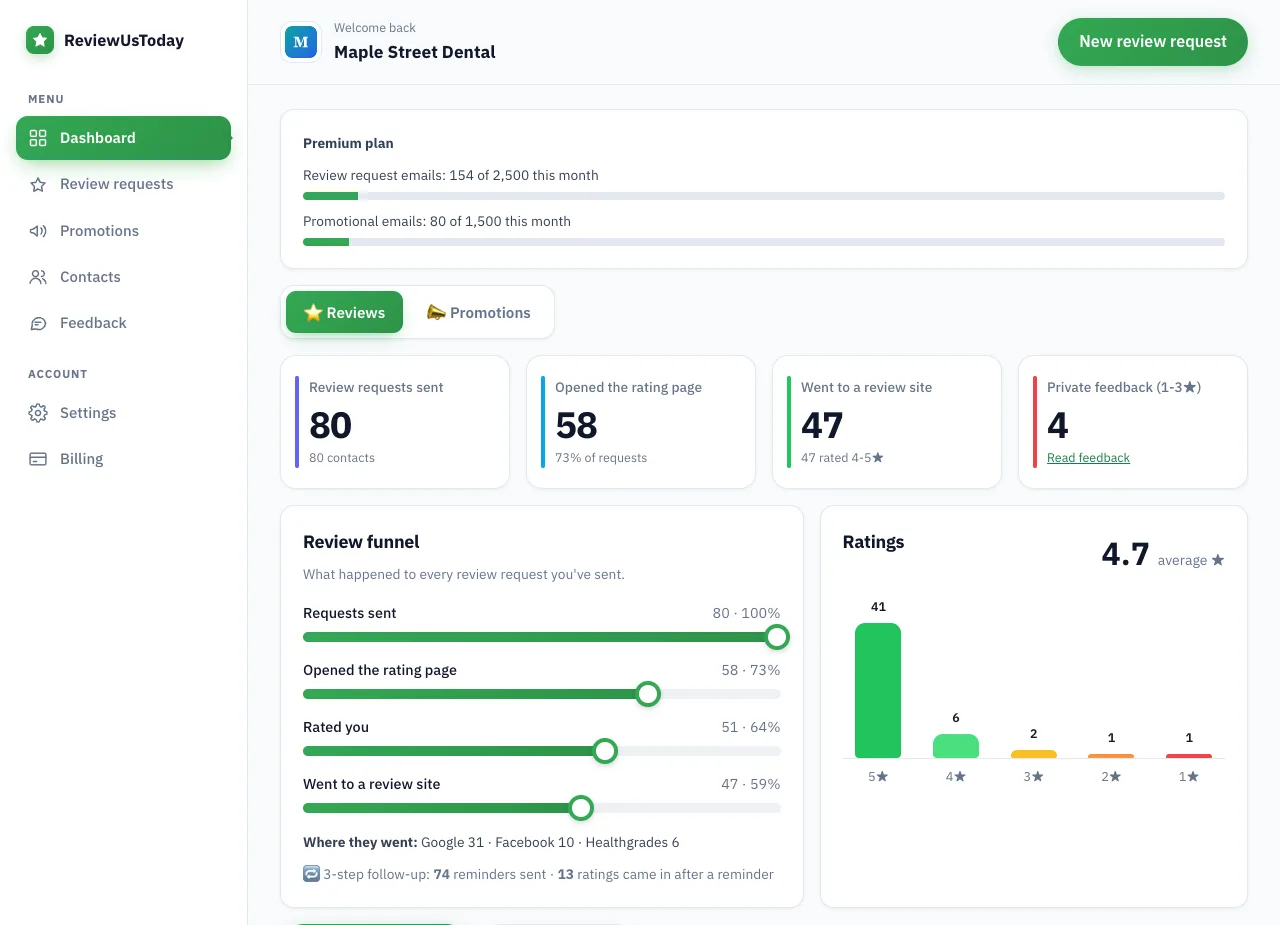
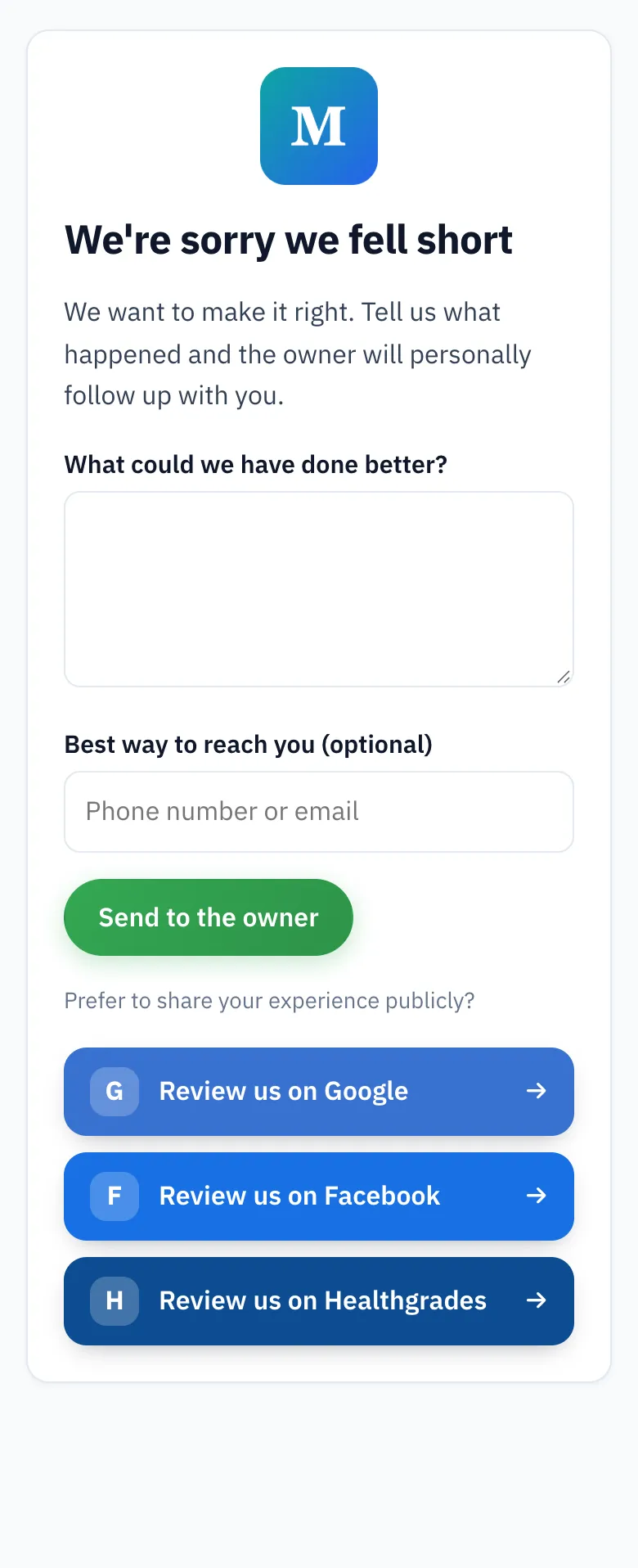
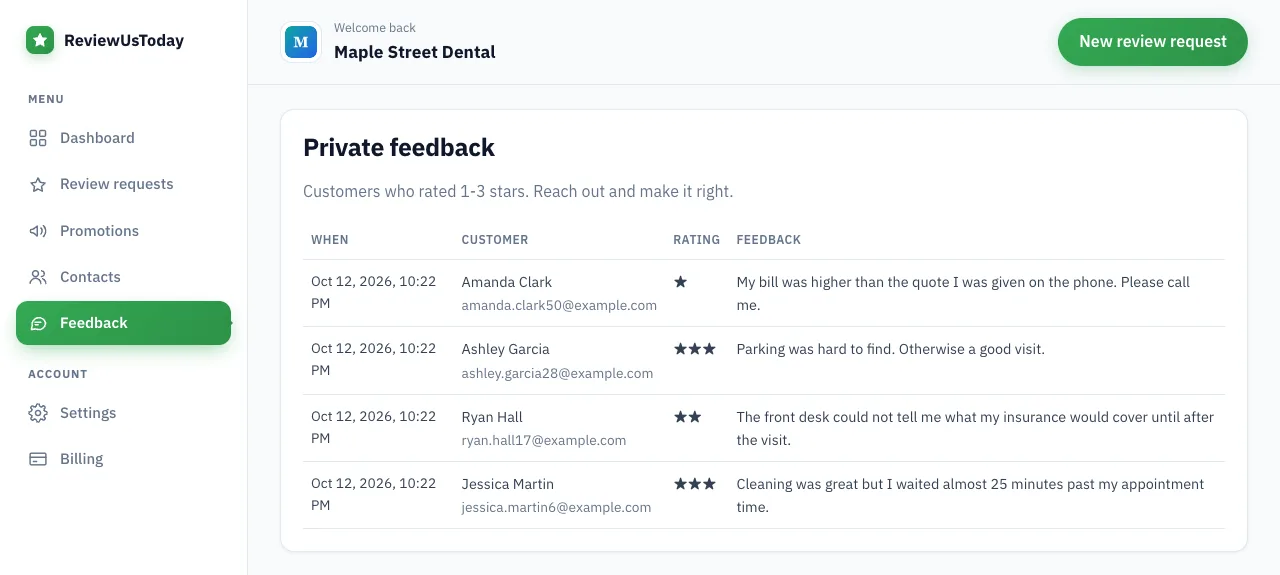
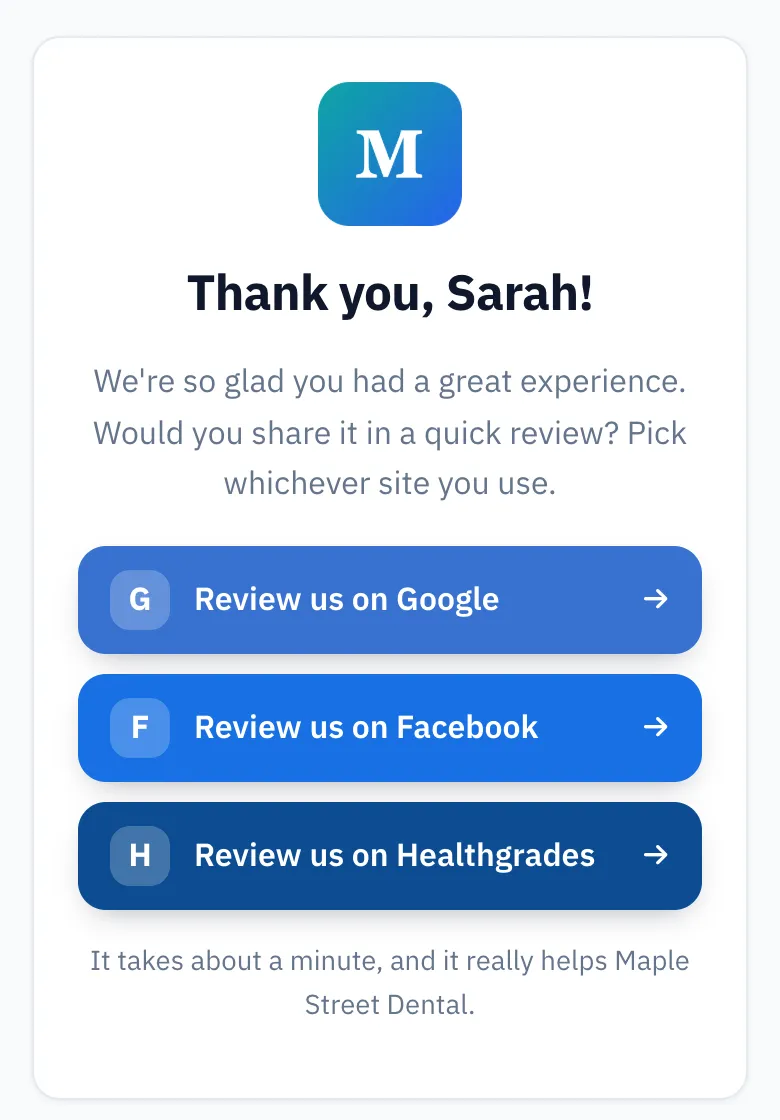
That's why ReviewUsToday doesn't offer Yelp as a destination. Its 31 review sites include Google, Facebook, Trustpilot, BBB and Nextdoor, but not Yelp. Customers who rate 4 or 5 stars go to the sites the business picks. Customers who rate 1 to 3 stars get a private feedback form that emails the owner, and every public review button still shows.
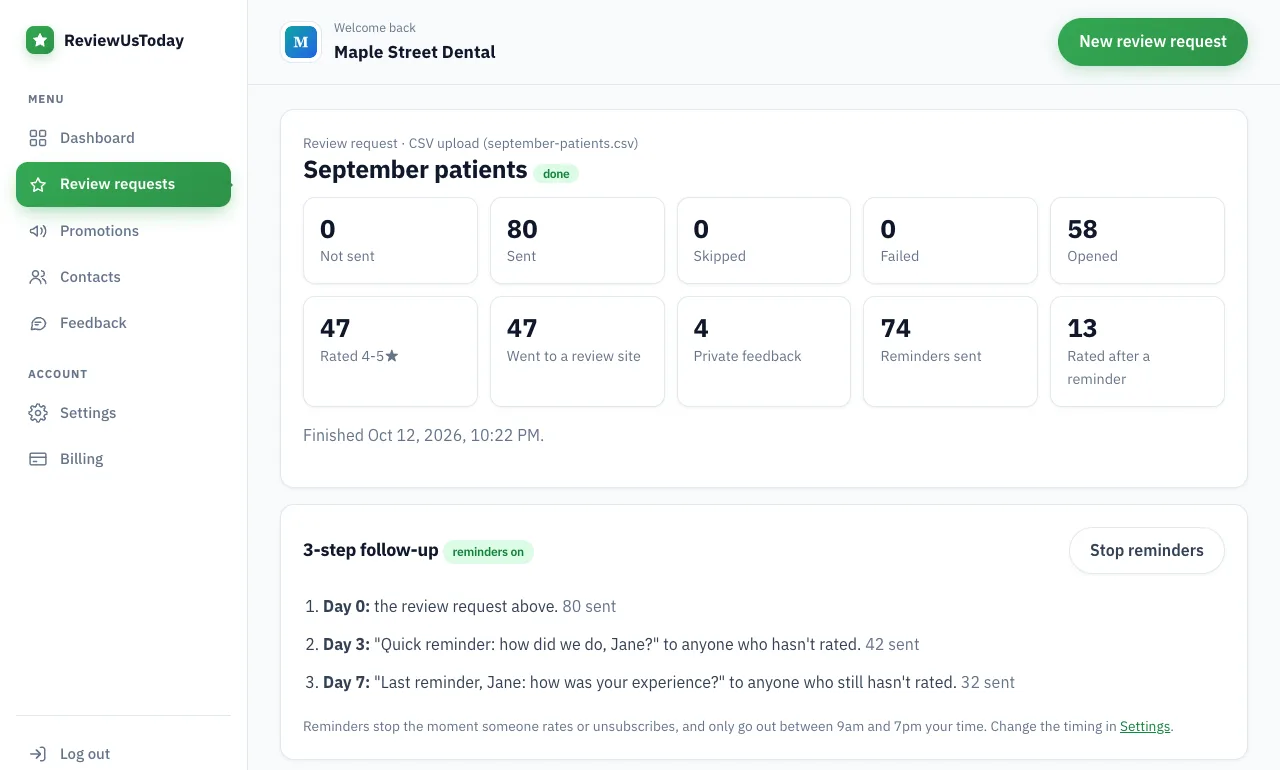
In our demo account, a sample dental office with 80 sample customers, 51 rated and 4 left private feedback instead. Those are demo numbers, not real results. Still, that's four problems an owner hears about directly, before anyone has to go looking for a report button. See the full list on our review sites page, and why showing every button matters in our guide to review gating.
Where ReviewUsToday fits
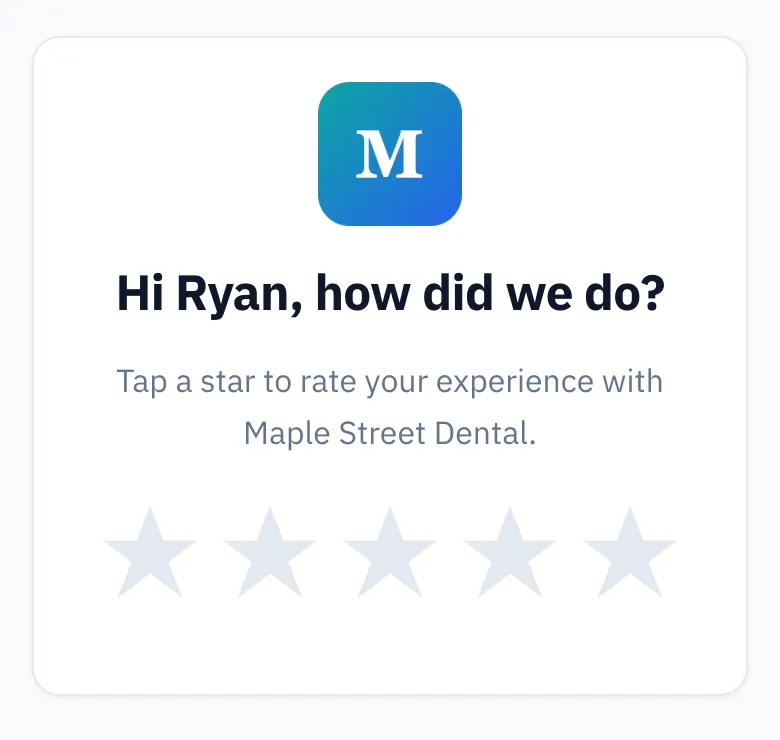
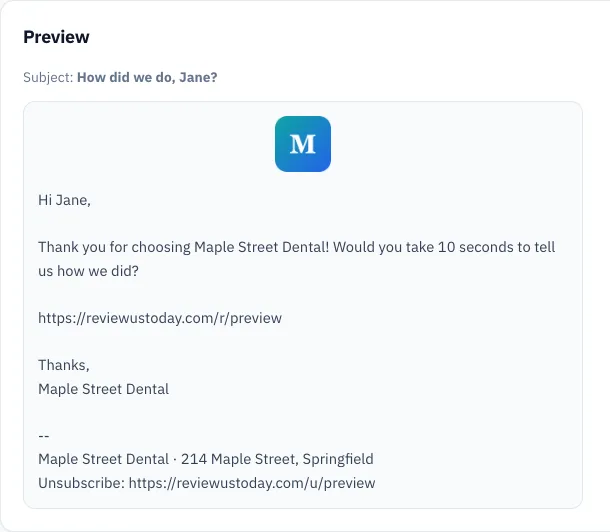
ReviewUsToday can't remove Yelp reviews, and it doesn't monitor or reply to reviews on any site. It emails every customer a one-tap rating request, with two automatic reminders. Happy customers go to Google and the other sites you choose. See how review management works, with plans from $50 a month and no contract.
Frequently asked questions
Can you pay Yelp to remove a review?
Yelp's help pages don't mention any fee for removing a review, and reporting one is a button in your Yelp for Business account. Yelp has called agencies that promise to remove negative reviews for a fee scams.
How long does it take Yelp to review a reported review?
Yelp says its moderators' evaluation may take several days. You can check the status by hovering over the flag icon next to the review, and Yelp emails you the decision.
Why did Yelp remove a review of my business?
Moderators may remove a review that breaks the Content Guidelines. Separately, Yelp's software may stop recommending a review, which makes it less visible without removing it.
Can I report a Yelp review from my phone?
Yes. In the Yelp for Business app, locate the review, tap the three dots (iPhone) or Overflow Menu (Android), then tap Report Review. You may need to claim your business page first.
Will Yelp remove a fake review from a competitor?
Yelp's guidelines bar reviews of your peers or competitors as a conflict of interest. Report it with any details moderators can verify; removal isn't guaranteed.
Sources
- Yelp Support: How do I report a review?
- Yelp Support: How do I remove a review that I posted?
- Yelp Support: Will Yelp remove a false or defamatory review?
- Yelp Support: What should I do if a reviewer demands something in exchange for removing a review?
- Yelp for Business: How we moderate content at Yelp
- Yelp for Business: How do I respond to reviews of my business?
- Yelp: Content guidelines
- Yelp Trust & Safety: Consumer Alerts
- Yelp blog: Taking a stand against misleading "reputation management" companies (2015)
- BrightLocal: Local Consumer Review Survey 2026
Keep reading
How to delete a Google review
How to delete a Google review you wrote, plus what business owners can really do about a bad one: report it, check its status and appeal, step by step.
How to respond to negative reviews
How to respond to negative reviews: a calm 5-step method, 8 templates for slow service, wrong orders, pricing, rude staff and fake reviews, and what to avoid.
Review gating: what it is, what Google and the FTC say, and what to do instead
Review gating means only sending happy customers to review sites. Here's what Google's policy and the FTC say, what is allowed, and a compliant review flow.