You can't delete someone else's review from your Facebook Page. You can report a Recommendation that breaks Facebook's Community Standards, and Facebook may remove it. You can turn off Recommendations, which removes the rating and all reviews from your Page. Or you can ask the reviewer, who can edit or delete their own review.
ReviewUsToday sends review requests that send happy customers to Facebook, Google and 29 other review sites. Every step below comes from Facebook's own Help Center, checked October 12, 2026.
How do you remove a review on Facebook?
A Page owner has three real options. Report a Recommendation that breaks the Community Standards, turn off Recommendations for the whole Page, or ask the reviewer to change or delete it. Facebook's Help Center says businesses can't edit a customer's review, and a star-only Recommendation can't be reported at all.
| Option | Who does it | What happens |
|---|---|---|
| Report the Recommendation | You, as the Page owner | Facebook reviews it and "may remove Recommendations that don't follow our standards" |
| Turn off Recommendations | You, in Page settings | Removes "the rating and reviews from your Page," the good ones included |
| Ask the reviewer | The customer who wrote it | They can "edit or delete" their review "at any time" |
Sources: Facebook Help Center articles on reporting a Recommendation, turning Recommendations on or off and editing or deleting a business review.
Notice what's missing: a "delete this, it's unfair" button. Facebook doesn't offer one, and given how many people think every review of them is unfair, that's probably for the best.
How to remove reviews from Facebook by reporting them
To report a Recommendation, open your Page's reviews, find the post, click Options, select Report post and follow the prompts. Facebook says you can report Recommendations "that don't follow our Community Standards." It reviews the report and may remove the post. Reporting won't remove a review just because it's negative.
Here are the steps from Facebook's Help Center:
- "Click Reviews under Details below the Page cover photo."
- "Click See all next to Recent reviews."
- "Click Options in the top right corner of the post you want to report."
- "Select Report post."
- "Follow the on-screen instructions."
| The review | Can you report it? |
|---|---|
| Star rating only, no text | No: "Recommendations that only include a star rating can't be reported." |
| Text that breaks the Community Standards | Yes, and Facebook may remove it |
| Negative but honest | You can report it, but Facebook removes only posts that don't follow its standards |
So a lone one-star with no words stays put. Annoying, but there's nothing in it to break a rule. I'd only report a review that clearly breaks the standards, like spam or abuse. Reporting every bad review wastes your afternoon and won't change the outcome.
How to delete a review in Facebook by turning off Recommendations
Turning off Recommendations is the only way a Page owner can take reviews off the Page themselves. Facebook says it "will disable Recommendations and remove the rating and reviews from your Page." That means every review goes, five-star ones included, and nobody can leave a new one while it's off.
Facebook's Help Center gives these steps for a computer:
- "Log into Facebook, then click your profile photo in the top right."
- "Click See all profiles, then select the Page you want to switch into."
- "Click your Page's profile photo in the top right."
- "Click Settings & privacy, then click Settings."
- "Click Page and tagging."
- Toggle "Allow others to view and leave reviews on your Page?" off.
| Before you switch it off | What Facebook's help pages say |
|---|---|
| Your good reviews | Removed along with the bad ones |
| New reviews | Nobody can leave one while Recommendations are off |
| Being found | Recommendations may make your Page easier to find in Facebook search |
| Your rating | A Page "may not have a rating if it hasn't received at least 5 reviews" |
Source: How Page review count and recommendation score are determined.
Turning off reviews to hide one bad one is like closing the shop to avoid one grumpy customer. It works, technically.
Can a customer delete their own Facebook review?
Yes. Facebook's Help Center says that when you review a business, "you can go back and edit or delete your review at any time." It also says businesses "can't edit your review," but they can report it if they think it breaks the Community Standards. Only the reviewer can change or remove what they wrote.
So if a review comes from a real misunderstanding, fix the problem first. Then, if it feels right, it's fair to let the customer know it's sorted. Don't ask them to delete it, and never pay or reward them for changing it.
A word on pressure. The FTC's consumer review rule bans "an unfounded or groundless legal threat" or intimidation aimed at removing a review (16 CFR 465.7). A calm reply is cheaper than a lawyer anyway.
What should you do instead of removing a Facebook review?
Reply to it and fix what you can. Then get more honest reviews, so one bad one carries less weight. Customers expect a response: BrightLocal's Local Consumer Review Survey 2026 found 89% expect owners to respond to reviews. A short, calm reply often does more than a deleted review ever could.
| Situation | Best move |
|---|---|
| Fair complaint | Apologize, say what you've fixed, and offer to talk offline |
| Spam or abuse | Report it, then reply briefly if it's still showing |
| Wrong business | Reply politely that you have no record of them |
| Lone star rating, no text | Nothing to report; focus on getting more reviews |
Our guide on how to respond to negative reviews has wording you can borrow. If the trouble is on Google instead, see how to delete a Google review.
The long-term fix is volume. If I had one bad Facebook review, I'd ask every recent customer for a review this week. Ten honest reviews make one bad one look like what it usually is: one bad day. Our review request software sends that request by email, the same way to everyone.
What we see in a demo account
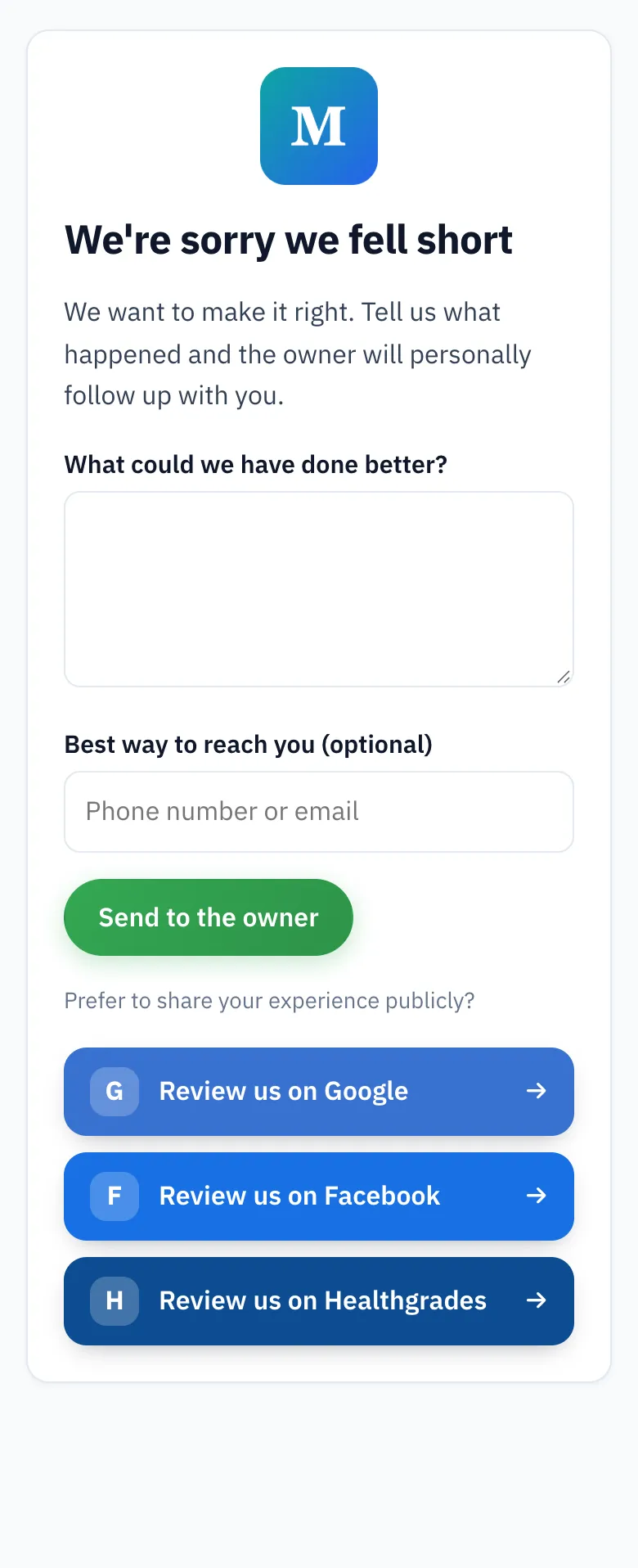
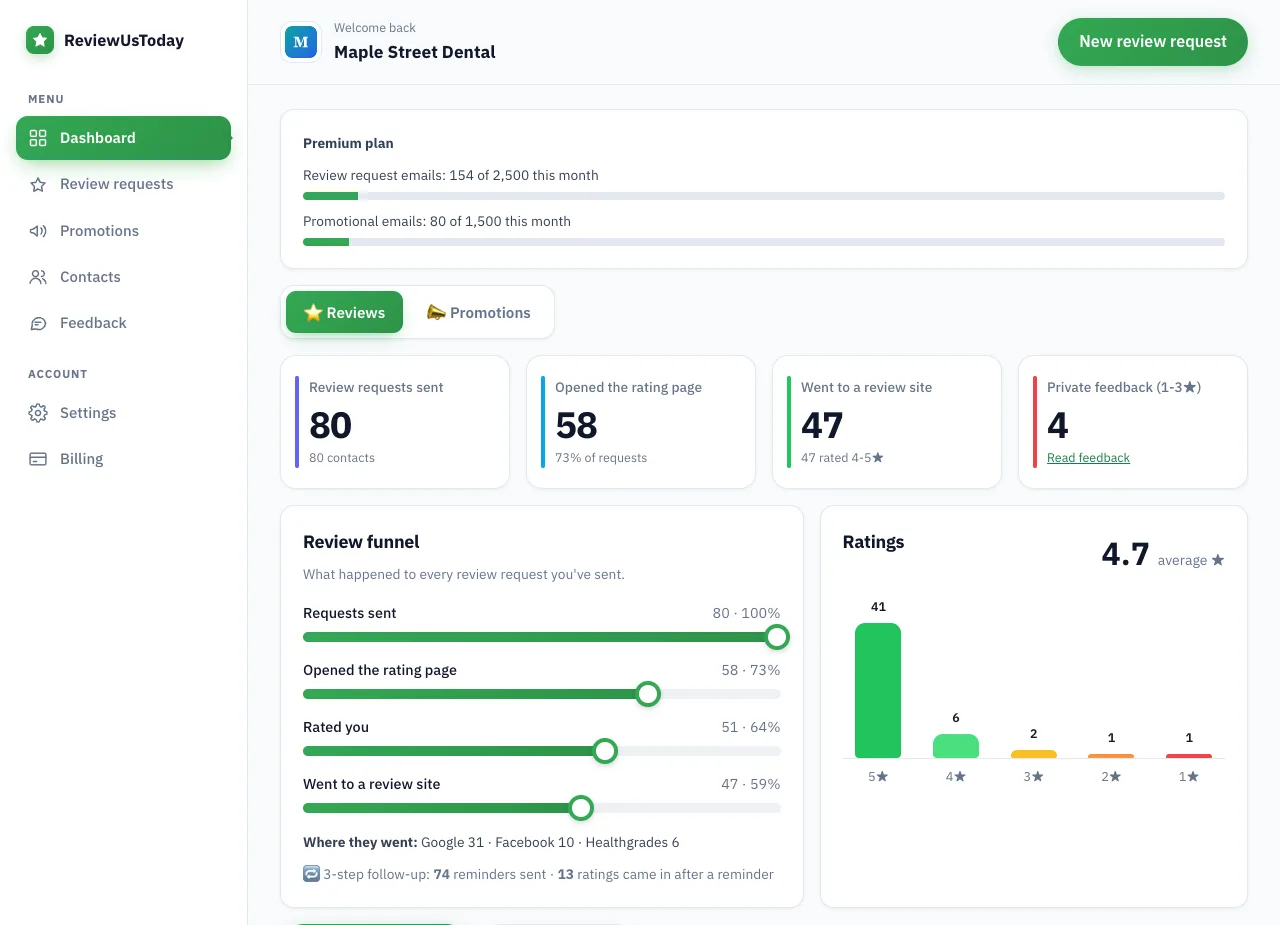
We ran a demo business, Maple Street Dental, through ReviewUsToday with 80 sample customers. These are sample numbers, not real results. Of the 47 who rated 4 or 5 stars and went on to a review site, 10 picked Facebook. Google got 31 and Healthgrades 6.
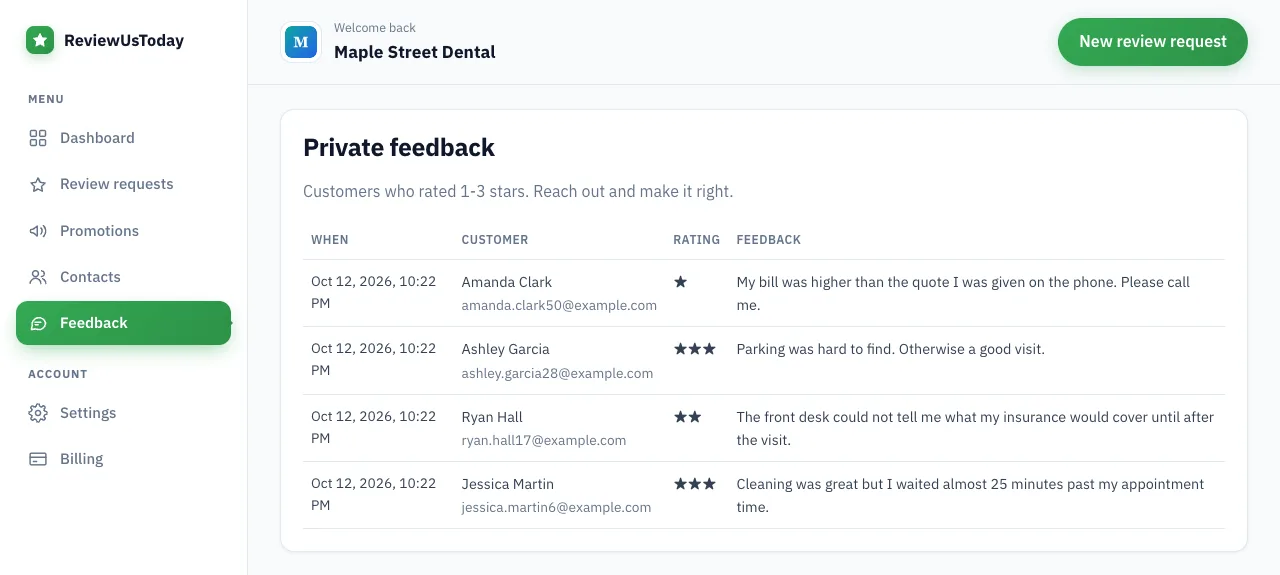
The other detail worth knowing: 4 customers left private feedback instead. Unhappy customers get a short feedback form, and the same page still shows every public review site, so nobody is blocked from posting. That's how the flow follows Google's rules against review gating.
Where ReviewUsToday fits
ReviewUsToday asks every customer for a review by email and sends happy customers to Facebook, Google or other sites you choose. It doesn't remove, report, monitor or reply to reviews on Facebook. See how review management works, with plans from $50 a month.
Frequently asked questions
Can a business delete a Facebook review?
No. Facebook says businesses can't edit a customer's review, but they can report a Recommendation that breaks the Community Standards. The only way to take all reviews off your Page is to turn off Recommendations.
What happens if I turn off Facebook reviews?
Facebook says it disables Recommendations and removes the rating and reviews from your Page. That includes your positive reviews, and nobody can leave new ones while it's off.
Why can't I report a Facebook review?
Facebook's Help Center says Recommendations that only include a star rating can't be reported. If the Recommendation has text, use Options and then Report post.
How long does Facebook take to remove a reported review?
Facebook's help pages don't give a timeline. They only say Facebook will review the report and may remove Recommendations that don't follow its standards.
Can a customer delete their own Facebook review?
Yes. Facebook says reviewers can edit or delete their review at any time. Don't pay or reward anyone for changing it.
Sources
- Facebook Help Center: Report a Recommendation or review about a business Page
- Facebook Help Center: Turn Recommendations on or off for your business Page
- Facebook Help Center: Edit or delete a business review you wrote
- Facebook Help Center: How Page review count and recommendation score are determined
- eCFR: 16 CFR Part 465 (review suppression, 465.7)
- BrightLocal: Local Consumer Review Survey 2026
Keep reading
How to delete a Google review
How to delete a Google review you wrote, plus what business owners can really do about a bad one: report it, check its status and appeal, step by step.
How to respond to negative reviews
How to respond to negative reviews: a calm 5-step method, 8 templates for slow service, wrong orders, pricing, rude staff and fake reviews, and what to avoid.
Review gating: what it is, what Google and the FTC say, and what to do instead
Review gating means only sending happy customers to review sites. Here's what Google's policy and the FTC say, what is allowed, and a compliant review flow.