Email marketing for photographers means keeping past clients and inquiries on a list you own, then sending a few useful emails. Send a follow-up after each session, a review request once the gallery is delivered, mini session announcements and seasonal booking reminders. Ask permission first, send from your studio name, and include your address and an unsubscribe link.
ReviewUsToday sends review request emails and promotional emails for local businesses, with links to Google, Facebook, The Knot, WeddingWire, Thumbtack and 26 other review sites. Here's how a photographer can plan the emails that bring clients back and turn finished galleries into reviews.
What emails should a photographer send?
Most photographers need about eight emails: inquiry reply, session prep, gallery delivery, review request, mini session announcement, seasonal reminder, anniversary note and newsletter. Each email has one job. Together they cover the whole client cycle, from the first message to the next booking.
| When to send it | Its one job | |
|---|---|---|
| Inquiry reply | Within a day of the inquiry | Book a call or a session |
| Session prep | A few days before the shoot | Help the client arrive ready: what to wear, where to park, when to show up |
| Gallery delivery | When the gallery is ready | Get the gallery opened and favorites picked |
| Review request | A day or two after delivery | One honest review on Google or a wedding site |
| Mini session announcement | About a month before the dates | Fill a limited set of slots |
| Seasonal booking reminder | Before your busy season | Book fall family or holiday sessions early |
| Anniversary note | Around a year after the session | Bring a past client back |
| Newsletter | Monthly or every other month | Stay remembered between bookings |
I'd start with the review request and the mini session announcement. They're the two most likely to pay for themselves this season, and neither one needs a design degree. The newsletter can wait until you have something to say besides "hi, still here."
How do photographers build an email list?
Start with the clients you already have. Add everyone who booked or inquired and agreed to hear from you, then add a sign-up checkbox to your inquiry form, contract and gallery page. Past clients are the warmest list a photographer will ever have, and their addresses are already sitting in your inbox.
| Where to collect emails | What to offer |
|---|---|
| Website inquiry form | A short "what to wear" guide |
| Booking contract | A checkbox for session reminders and offers |
| Gallery delivery page | Early notice of next season's mini sessions |
| At a mini session or market stall | A sign-up sheet for first pick of dates |
- Export your past clients from your booking tool or inbox as a CSV.
- Keep only people who booked, inquired or opted in. Never buy a list.
- Tag each person by session type, so a newborn offer doesn't land with a groom.
- Add a sign-up checkbox everywhere a new client gives you an email address.
- Offer something worth signing up for, like first pick of mini session dates.
A sign-up box labelled "Newsletter" converts about as well as one labelled "Homework." Tell people what they'll actually get, and they'll actually sign up.
What should a photographer email after a session?
After a session, send a short thank-you, then the gallery, then a review request a day or two later. Follow with a print or album reminder before the gallery expires, and a referral note once the client has shared their photos. Spread these over a few weeks so each email has room to breathe.
- Same day: a thank-you with one sneak peek photo.
- Delivery day: the gallery link and how long it stays online.
- One or two days later: a one-tap review request.
- Before the gallery expires: a print and album reminder.
- A few weeks later: a referral note for friends who need photos too.
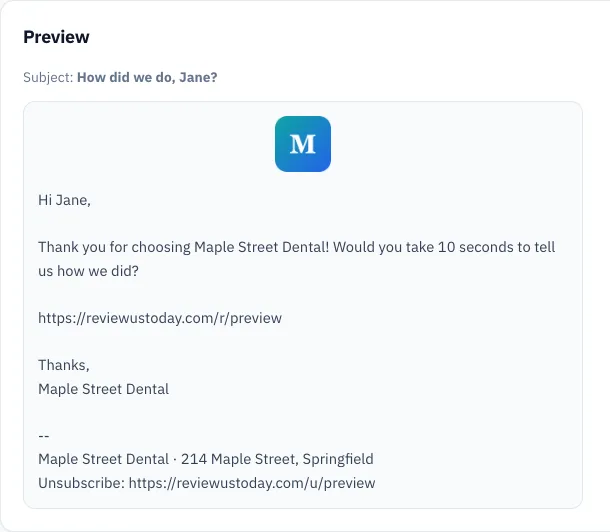
The review request works best right after delivery. That's when the client is still scrolling through their photos and showing them to anyone within arm's reach. Wait three months and the excitement has moved on to a new kitchen or a new puppy.
For the wording, borrow from our review request email templates and swap in your studio name and session type.
How should photographers ask clients for reviews?
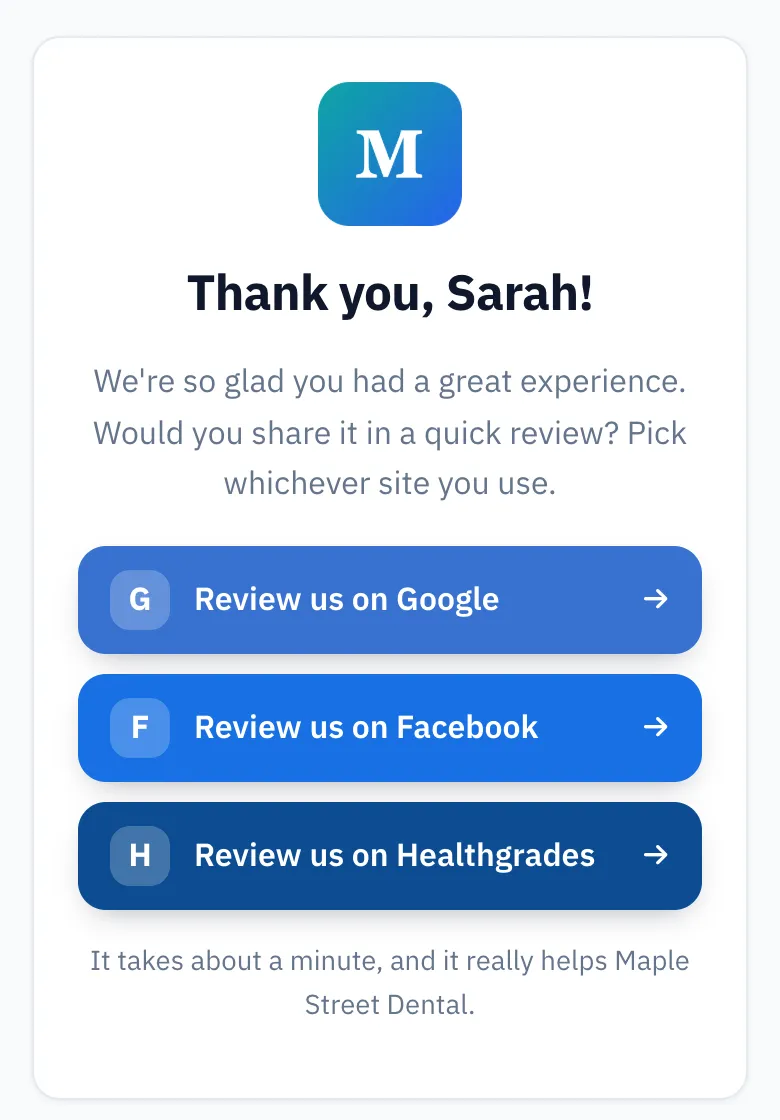
Ask every client the same way, soon after their gallery is delivered, with one link to the review site you care about most. Don't offer a discount or free prints in exchange. Google's policy bans incentives for reviews, and it also bans asking only your happy clients, which is called review gating.
Clients are used to being asked. BrightLocal's Local Consumer Review Survey 2026 found 78% of consumers were asked to write a review in the last 12 months. It also found 28% will "always" write one if asked, up from 16% in 2025.
| Review site | Best fit for | Worth knowing |
|---|---|---|
| Every photographer | Reviews appear beside your business in Search and Maps | |
| Family, newborn and portrait work | Clients often share their photos there anyway | |
| The Knot | Wedding photographers | Couples browse vendors there while planning |
| WeddingWire | Wedding photographers | Another vendor directory couples check |
| Thumbtack | Event and headshot work | Useful if clients already find you there |
Google's content policy says businesses may not "selectively solicit positive reviews from customers." Incentives "in exchange for posting any review" are banned too. So the free print stays a thank-you, not a trade. Our guide to review gating covers where the line sits.
How do you fill mini sessions with email?
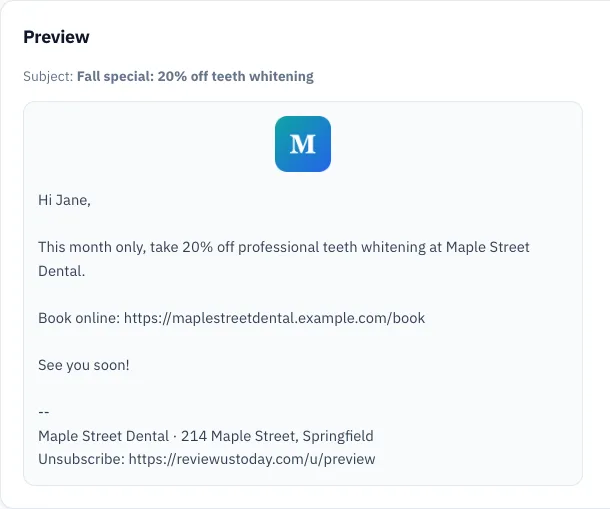
Announce mini sessions to past clients first, about a month before the dates, with the price, location, date and a booking link. Send a reminder a week later and a "last few spots" email when the calendar is nearly full. Past clients book faster than strangers, because they already like your photos and trust you with their kids.
| Season | Mini session idea | Send the first email |
|---|---|---|
| Spring | Blossoms, Easter, graduation | Late winter |
| Summer | Beach, sunflower field, back to school | Late spring |
| Fall | Family portraits for holiday cards | Late summer |
| Winter | Holiday sets, Valentine's Day | Early fall or early January |
Fall is the one I'd never skip. Every family suddenly needs a holiday card photo, usually about a week after the good light is gone. Get there first and you'll have a waitlist instead of a reminder email.
Use tags so each announcement goes to the right people. A wedding client from 2023 might want an anniversary shoot.
A newborn client from last spring probably wants a first birthday session. With our email marketing for local businesses, you can send a seasonal offer or flyer to your whole list or one tag. Send it now or schedule it.
How often should photographers email their list?
Once a month is a good baseline for a photographer's list, plus two or three emails around each mini session launch. That's enough to be remembered when someone needs photos, without becoming the email people delete unread. Skip a month if you have nothing useful to say.
The subject line decides whether anyone opens it. Say what's inside, plainly:
| Instead of | Try |
|---|---|
| October newsletter | Holiday card minis: 12 spots on Nov 2 |
| Exciting news!!! | Your gallery is ready (it's online for 30 days) |
| Quick favor | How did your family session go? |
| Don't miss out | 3 spots left for Saturday's beach minis |
For more on timing and subject lines, see our email marketing tips for local businesses.
What email rules do photographers need to follow?
Promotional emails in the US fall under the CAN-SPAM Act. Use honest sender details and subject lines, and include your physical postal address. Give people a clear way to opt out, and honor opt-outs within 10 business days. The FTC says each violating email can cost up to $53,088.
| Rule | What the FTC's guide says |
|---|---|
| Sender details | "Don't use false or misleading header information." |
| Subject line | "Don't use deceptive subject lines." |
| Address | "Your message must include your valid physical postal address." |
| Opt-out | "You must honor a recipient's opt-out request within 10 business days." |
| Penalty | Up to $53,088 for each separate email in violation |
Source: FTC, CAN-SPAM Act: A Compliance Guide for Business.
A home studio can use a registered PO box or private mailbox instead of a street address, according to the FTC's guide. That's handy if you'd rather not print your living room's location under a newborn offer. This isn't legal advice, so check anything unusual with a lawyer.
What we see in a demo account
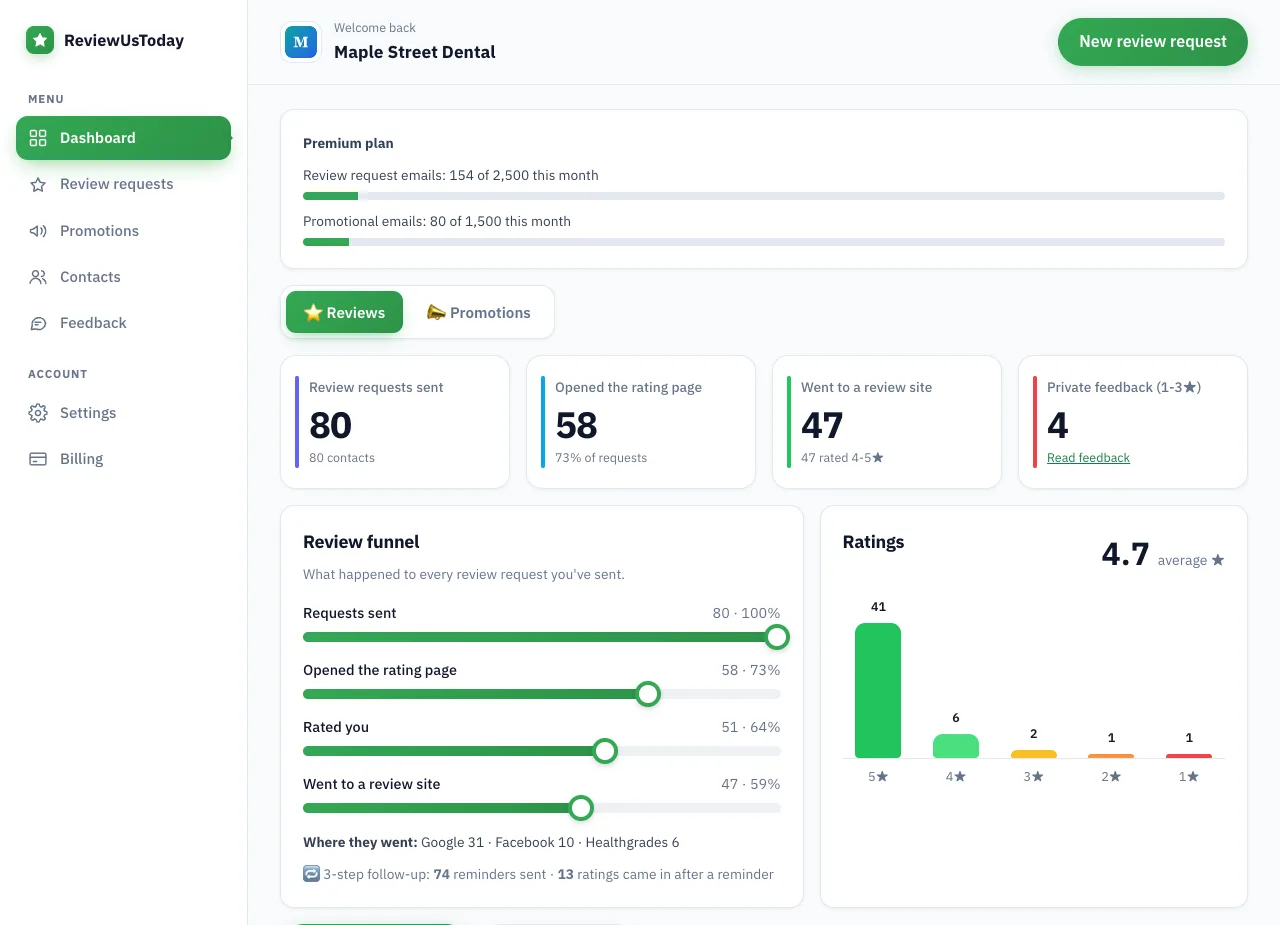
We ran a demo business, Maple Street Dental, through ReviewUsToday with 80 sample customers. It's a dental demo with sample data, not a photographer and not real results. It does show exactly what the follow-up flow reports.
| Step | Demo result |
|---|---|
| Review requests sent | 80 |
| Opened the rating page | 58 |
| Rated the business | 51, average 4.7 stars |
| Went to a review site | 47: Google 31, Facebook 10, Healthgrades 6 |
| Left private feedback | 4 |
| Ratings that came in after a reminder | 13 of 51 |
The reminder line is the one I'd watch. In this demo, about one rating in four arrived only after a nudge. People mean to leave a review, and then life happens.
Where ReviewUsToday fits
ReviewUsToday emails every client a one-tap review request from your studio name and sends up to two reminders.
Happy clients pick Google, Facebook, The Knot or another site you choose. On Pro and Premium plans it also sends mini session and seasonal promotions to your list or a tag. It doesn't send texts, host galleries or reply to reviews. See how review request software works, with plans from $50 a month.
Frequently asked questions
What is email marketing for photographers?
It's sending planned emails to past clients and people who inquired, such as gallery follow-ups, review requests and mini session announcements. The goal is repeat bookings, referrals and reviews from people who already know your work.
How often should a photographer send emails?
About once a month, plus two or three emails around each mini session launch. Send less if you have nothing useful to say.
When should a photographer ask for a review?
A day or two after the gallery is delivered, while the client is still looking at their photos. Ask every client the same way and don't offer anything in exchange.
Can I offer a free print for a Google review?
No. Google's policy bans incentives such as payment, discounts or free goods in exchange for posting a review. You can still give a free print as a thank-you that doesn't depend on a review.
Do photographers need an unsubscribe link in emails?
Yes, for promotional emails. The FTC's CAN-SPAM guide requires a clear way to opt out, a valid physical postal address, and opt-outs honored within 10 business days.
Sources
Keep reading
Email marketing tips for local businesses: 12 that bring customers back
Email marketing tips for local businesses: 12 tips, email ideas for every month, subject lines, how often to send, and the Google and CAN-SPAM rules.
Review request template: 7 emails you can copy and send today
Copy-paste review request template emails with subject lines: after a service, after a purchase, reminders, a short version, an owner note and a clinic version.
How to ask for a review: scripts, examples and timing
How to ask for a review without feeling awkward: word-for-word scripts for in person, email and receipts, when to ask by business type, and Google's rules.