The best email marketing tips for a local business are simple. Only email customers who said yes, send from your business name, and give every email one clear job. Send monthly, include your address and an unsubscribe link, and use email for reviews and repeat visits, not only sales.
ReviewUsToday sends review requests and promotional emails for local businesses, with your address in the footer and one-click unsubscribe built into every message. The tips below come from the rules those emails have to follow and the habits that keep customers opening them.
12 email marketing tips for local businesses
A local business has an edge online brands would love. Your customers already know you and live nearby. Many have been inside your shop, or had you inside their home. These 12 tips run in roughly the order I'd tackle them.
| # | Tip | What it looks like for a local business |
|---|---|---|
| 1 | Only email people who said yes | Ask at checkout, on invoices and on your booking form. Never buy a list. |
| 2 | Send from a name they recognize | "Bright Smile Dental" or "Mike at Lakeside Plumbing," with replies going to a real inbox. |
| 3 | Ask for a review after every job | One short email a day or two after the visit, sent to every customer the same way. |
| 4 | Give each email one job | One offer or one request, and one button. |
| 5 | Say what's inside in the subject line | "Furnace tune-ups are $20 off until Nov 15" beats "October news." |
| 6 | Plan around your local calendar | Weather, school terms, local events and your own busy and slow seasons. |
| 7 | Send on a steady schedule | Monthly at minimum, so customers remember you exist. |
| 8 | Use reminders to bring people back | Service due dates, seasonal checkups and "it's been a while" notes. |
| 9 | Make unsubscribing easy | A visible link in every email, honored quickly. |
| 10 | Put your postal address in the footer | The FTC's CAN-SPAM guide requires a valid physical postal address. |
| 11 | Clean your list | Stop emailing bounces, unsubscribes and people who complained. |
| 12 | Judge emails by clicks and bookings | Opens are a rough guess. Clicks and calls are the real score. |
If I were starting from zero, I'd do tips 1, 3 and 9 this week and the rest over the next month. Twelve tips sounds like a lot, but most take less time than finding the password for the email tool you signed up for in 2021.
What are good email marketing ideas for a local business?
Good email marketing ideas for a local business tie your service to what's happening in town that month. Think weather, school calendars, holidays and your own slow season. A plumber emails about frozen pipes in January, a salon about prom in April, and everyone asks for reviews after every job.
| Month or season | Email idea | Works well for |
|---|---|---|
| January | New year booking push; "beat the winter rush" maintenance | Gyms, home services, auto shops |
| February | Valentine's gift cards and date-night bookings | Salons, spas, florists, shops |
| March | Spring cleanup and tax-time reminders | Landscapers, cleaners, accountants |
| April | Prom and wedding season appointments; AC checkups | Salons, HVAC |
| May | Mother's Day gift cards; graduation offers | Spas, retail, photographers |
| June | Summer hours, Father's Day, road-trip checkups | Auto shops, retail, any business with new hours |
| July | Mid-year thank-you with a small loyalty offer | Any business with repeat customers |
| August | Back-to-school appointments and haircuts | Pediatric clinics, salons, tutors |
| September | Fall maintenance and gutter cleaning | Home services, roofers |
| October | Heating tune-ups; Halloween events | HVAC, shops, family businesses |
| November | Small Business Saturday; gift cards; book before the holidays | Retail, salons, cleaners |
| December | Thank-you email with a short year in review and next year's dates | Every business |
| Every week | Review request after each job or visit | Every business |
Skip the made-up holidays. Nobody needs a "Happy National Pickle Day" email from their electrician (pickle fans, I'm sorry). For industry calendars, see our guides to email marketing for restaurants and email marketing for dentists.
What are the email marketing best practices you have to follow?
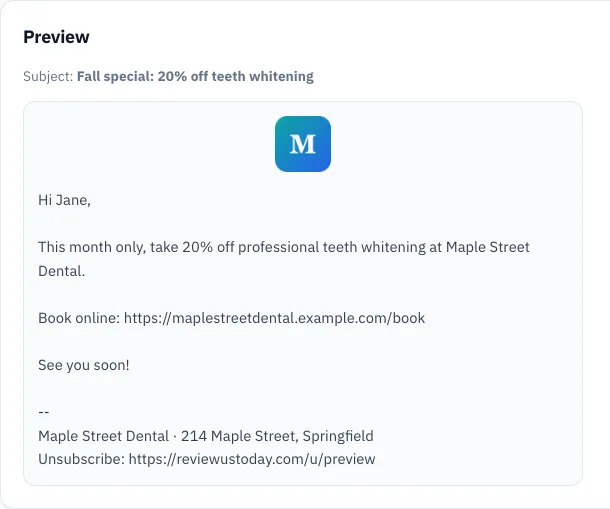
The email marketing best practices you have to follow come from two places. The FTC's CAN-SPAM Act sets the legal rules: honest headers and subject lines, your postal address, and a working opt-out. Gmail's sender guidelines set the delivery rules: authentication, low spam complaints and easy unsubscribing.
Here's what each one says, quoted from the source pages and checked on 12 October 2026.
| Rule | Exact wording | What it means for you |
|---|---|---|
| Postal address (FTC) | "Your message must include your valid physical postal address." | Your street address, or a PO box or private mailbox registered as the FTC describes, in every marketing email. |
| Opt-out speed (FTC) | "You must honor a recipient's opt-out request within 10 business days." | Unsubscribes stop the emails within two working weeks, at most. |
| Opt-out lifespan (FTC) | "Any opt-out mechanism you offer must be able to process opt-out requests for at least 30 days after you send your message." | The unsubscribe link in an old email still has to work. |
| Authentication (Google, all senders) | "Set up SPF or DKIM email authentication for your sending domains." | Your email tool or domain host proves the email really came from you. |
| Spam rate (Google) | "Keep spam rates reported in Postmaster Tools below 0.10% and avoid ever reaching a spam rate of 0.30% or higher." | Fewer than 1 in 1,000 recipients should hit "Report spam." |
| One-click unsubscribe (Google, bulk senders) | "Marketing messages and subscribed messages must support one-click unsubscribe" | Required once you send more than 5,000 messages a day to Gmail accounts. Worth doing anyway. |
Sources: FTC CAN-SPAM Act compliance guide and Google email sender guidelines.
SPF, DKIM and DMARC sound like a law firm nobody has ever called back, but most email tools walk you through setting them up. If you'd rather not think about the footer and unsubscribe link at all, ReviewUsToday's email marketing adds both to every message automatically.
How do you use email marketing to get more reviews?
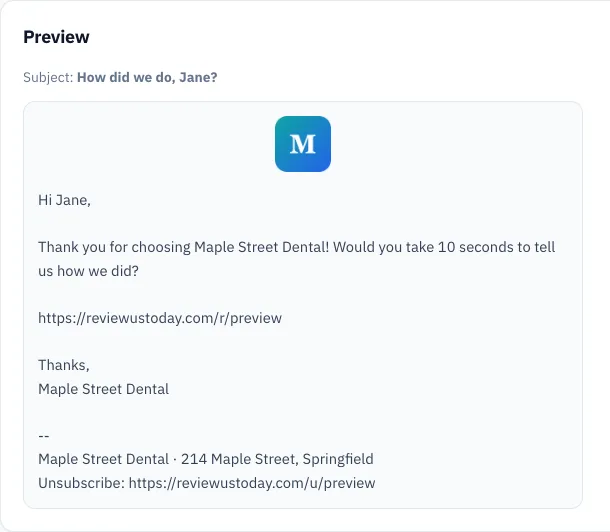
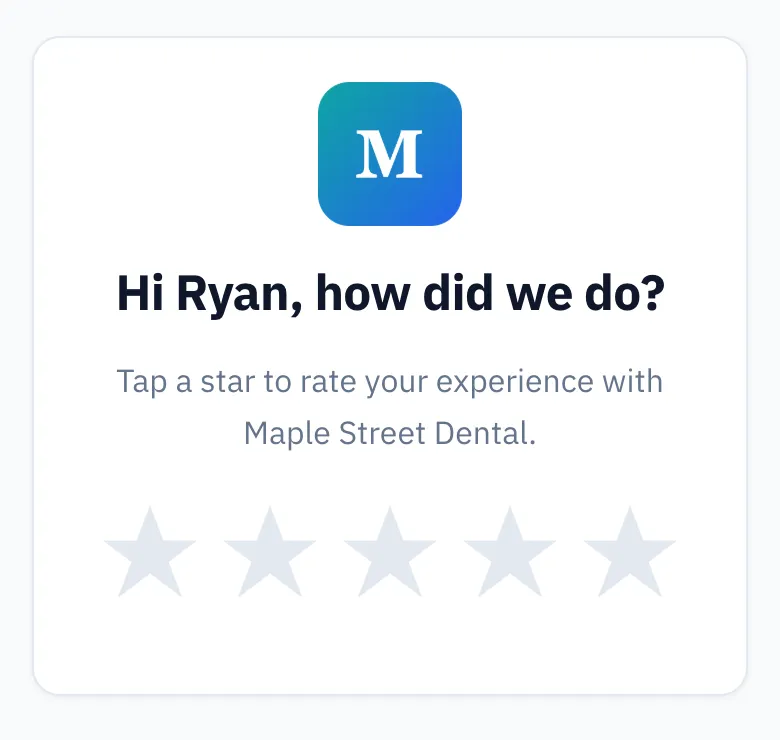
To use email marketing for reviews, send every customer a short request a day or two after the job. Give it one button that opens your review site. Send the same request to everyone, offer nothing in return, and follow up once or twice if they don't respond. That's the email most local businesses never send.
It works because people do respond when asked. BrightLocal's Local Consumer Review Survey 2026 found 78% of consumers were asked to write a review in the last 12 months. It also found 28% will "always" write one if asked, up from 16% in 2025.
- Export last week's customers from your booking or invoicing software.
- Send each one a short email from your business name with a single review button.
- Send a reminder a few days later to anyone who hasn't responded.
- Stop the reminders as soon as they leave a rating or unsubscribe.
Two rules from Google's review policy matter here. You can't offer discounts or freebies for reviews, and you can't "selectively solicit positive reviews from customers."
Our guide to review gating explains the line, and our review request email templates give you the wording.
Most happy customers fully intend to leave a review. They intend it the way I intend to clean out the garage, which is sincerely and never. A reminder is what turns the intention into five stars.
How do you use email to get repeat business?
Use email for repeat business by sending a reminder when a customer is likely due again. That might be a service interval, a season change or a long gap since their last visit. They feel helpful, not salesy, because they're about the customer's car or furnace.
| Trigger | When to send | Sample line |
|---|---|---|
| Routine service due | A week or two before it's due | "Your car is due for an oil change. Book a time this week." |
| Season change | 4 to 6 weeks before the busy season | "Get your AC checked before the first heat wave." |
| No visit in a while | 2 to 3 times your usual visit gap | "It's been three months. Want your usual Saturday slot?" |
| After a first visit | A week later | "Thanks for trying us. Here's what to book next time." |
| Thank-you | Once a year | "Thanks for a great year. Here are next year's holiday hours." |
Customers rarely drift away because they're unhappy. They drift because life is busy and the furnace filter sits at number 213 on their to-do list. If I ran a hair salon, I'd send the "it's been a while" email before any discount email, because it fills chairs without cutting prices.
Email subject line examples for local businesses
Good subject lines for local businesses are short, specific and honest about what's inside: the offer, the deadline or the reason to open. CAN-SPAM bans deceptive subject lines, so "Re: your order" on a promotion is out. Aim for under about 50 characters so the full line shows on a phone.
| Email type | Subject line example | Why it works |
|---|---|---|
| Seasonal offer | Furnace tune-ups $20 off until Nov 15 | Offer and deadline in one line |
| Review request | How did we do today, Sarah? | Personal, short, easy to answer |
| Service reminder | Your 6-month cleaning is due | About them, not you |
| Event | Saturday: free bike checks at the shop | Day first, so it's skimmable |
| Win-back | We saved your usual Thursday slot | Feels like a favor, not a pitch |
| Gift cards | Last-minute gifts that aren't socks | A little humor, clear meaning |
| Hours update | New summer hours start June 3 | Useful, so people open it |
Skip ALL CAPS and stacks of exclamation marks. Your customers' inboxes already have plenty of mattress stores shouting at them.
How often should a small business send marketing emails?
Most small local businesses should send one or two marketing emails a month, plus review requests after each job. That's often enough to stay remembered and rare enough not to annoy. Pick a day and stick to it, because a steady schedule matters more than the exact number.
| Good starting frequency | |
|---|---|
| Review request | After every job or visit, with one or two reminders |
| Promotion or seasonal offer | Once or twice a month |
| Service reminder | When each customer is due |
| Newsletter or thank-you | Monthly or quarterly |
These are starting points, not laws. Watch your unsubscribes after each send. If one email causes a spike, that's feedback, and it's cheaper than a focus group with catered sandwiches.
How do you keep your email list clean?
Keep your email list clean by removing hard bounces, unsubscribes and spam complaints right away. Merge duplicates, and only add people who agreed to hear from you. A clean list keeps your spam rate low, which keeps your emails landing in inboxes instead of junk folders.
- Hard bounces: the address doesn't exist. Stop sending to it.
- Unsubscribes: remove them for good, well inside the FTC's 10 business days.
- Complaints: anyone who hits "Report spam" gets no more emails.
- Duplicates: one customer with three addresses gets three emails, and gets annoyed three times.
- Old contacts: if someone hasn't opened or clicked in a year, consider removing them.
An uncleaned list is the email version of the kitchen junk drawer: a key to nothing, a dead battery and 300 addresses that bounce.
What we see when a demo business sends both kinds of email
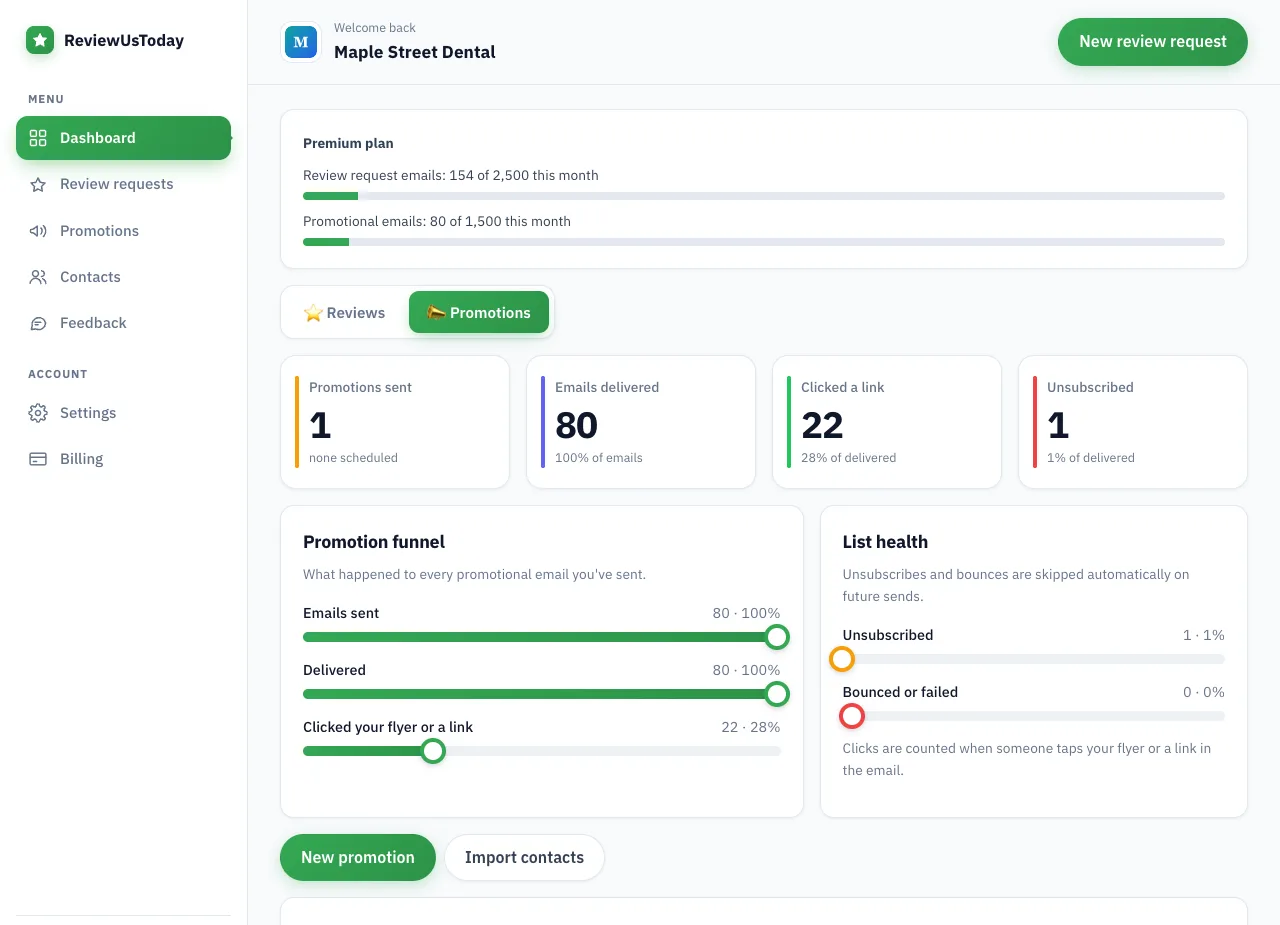
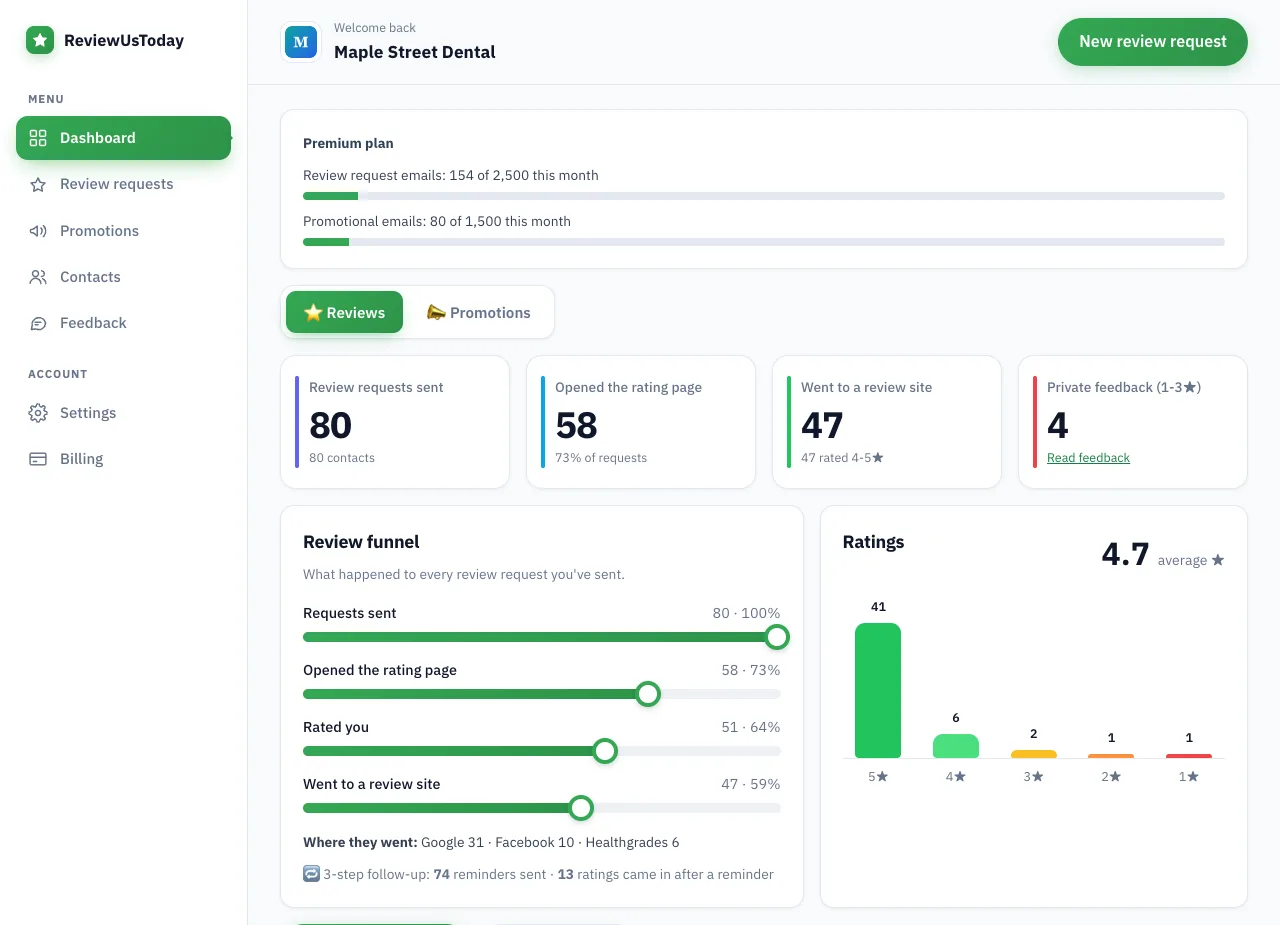
We ran a fictional practice, Maple Street Dental, through ReviewUsToday with 80 sample customers. This is a demo account with sample data, not a real business's results. It shows what each number on the dashboard means, for review requests and a promotion sent to the same list.
| Step | Demo result |
|---|---|
| Review requests sent | 80 |
| Opened the rating page | 58 |
| Rated the business | 51 (average 4.7) |
| Rated 4 or 5 stars and went to a review site | 47: Google 31, Facebook 10, Healthgrades 6 |
| Left private feedback | 4 |
| Reminders sent / ratings after a reminder | 74 / 13 |
| Promotion to the same 80: clicked / unsubscribed | 22 / 1 |
Notice the reminder row: 13 of the 51 ratings came in after a reminder. Maple Street Dental doesn't exist, which is a shame, because its sample patients are very prompt.
Where ReviewUsToday fits
ReviewUsToday sends review request emails with automatic reminders, plus promotional emails on the Pro and Premium plans. Every email includes your business name and address footer and a one-click unsubscribe link. It's email only, with no texts. See how email marketing for local businesses works in ReviewUsToday.
Frequently asked questions
What are the best email marketing tips for small businesses?
Only email customers who opted in, send from your business name, and give each email one job. Include your postal address and an unsubscribe link, and use email for review requests and reminders as well as offers.
How often should a local business send marketing emails?
One or two marketing emails a month works for most local businesses, plus a review request after each job. Watch unsubscribes to see if you're sending too often.
Do I need my address in marketing emails?
Yes. The FTC's CAN-SPAM compliance guide says your message must include your valid physical postal address. The FTC says this can be your street address, a post office box registered with the U.S. Postal Service, or a registered private mailbox.
Can I email customers who never signed up?
It's a bad idea. People who never agreed to hear from you are the most likely to hit Report spam, and Google's sender guidelines ask senders to keep spam rates below 0.10%. Ask for permission at checkout or on your booking form instead.
What should a local business email about?
Seasonal offers, service reminders, events, new hours and review requests after each visit. Tie each email to something happening in your town that month.
Sources
Keep reading
Review request template: 7 emails you can copy and send today
Copy-paste review request template emails with subject lines: after a service, after a purchase, reminders, a short version, an owner note and a clinic version.
Email marketing for restaurants: a simple plan that fills seats
Email marketing for restaurants: build a list with permission, follow CAN-SPAM, and use our month-by-month email ideas, subject lines and timing tips.
Email marketing for dentists: rules, ideas and a sample email
Email marketing for dentists, done right: CAN-SPAM basics, HIPAA cautions, a month-by-month list of email ideas, a sample promo email and review requests.